

Blender 官方扩展库收录Blender 插件
资源介绍
Alerts you to overlapping vertices in real-time
Compatibility: Blender 4.2.0+
官方介绍(中文整理)
提醒你实时有重叠的顶点
顶点重叠
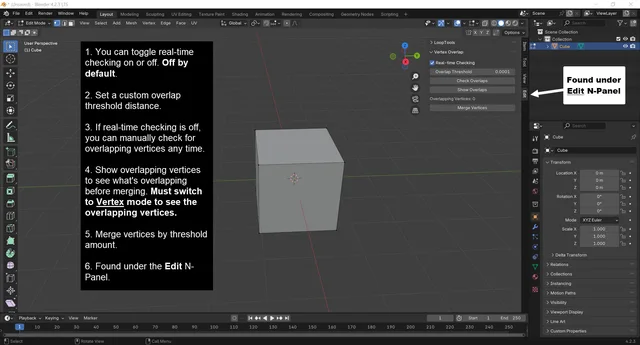
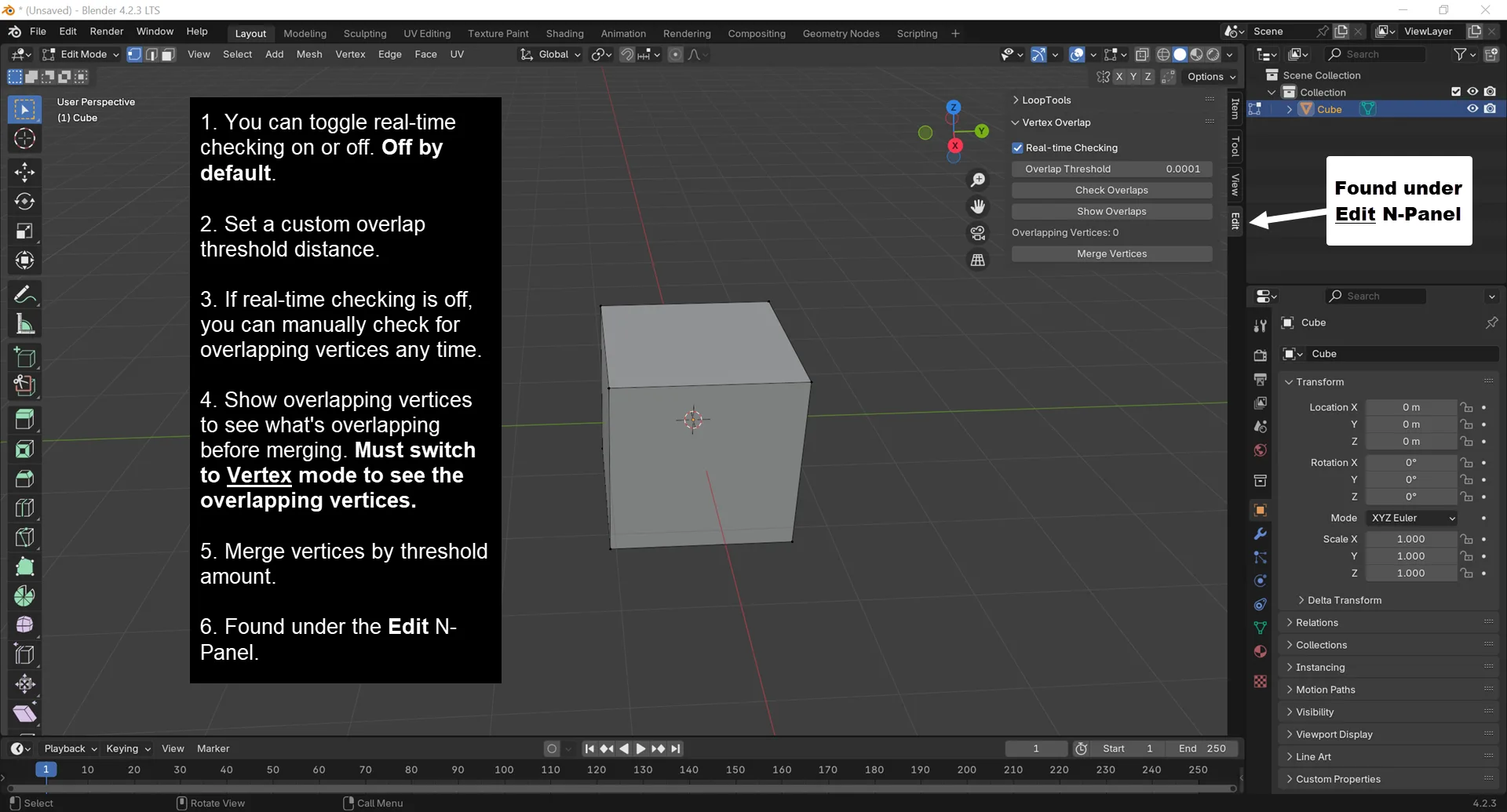
在编辑 N 面板下发现, Vertex overlap 是一个 Blender 添加点, 提醒您实时看到重叠的顶点, 并允许您以单击方式将其合并。
您有没有开始过, 然后取消了一个大振动 ? 如果您不记得立即取消您最后的行动, 您将创建重叠的顶峰, 并且很难识别, 直到您开始注意到怪异的投影问题 或者在编辑网格时遇到奇特的问题。
功能特点
- 提醒您实时使用新的重叠顶点。 默认禁用, 但启用了一个简单的复选框。
- 显示重叠按钮会突出显示顶点重叠, 这样您就可以预览要合并的内容。 您必须在 Vertex 选择模式中看到突出显示的重叠。
- 您可以设置自定义的重叠阈值距离。 如果您只想要提醒注意某一距离的重叠顶点。 默认值为 0. 001 m。
- 如果禁用实时检查, 您可以在编辑模式下随时点击“ 检查重叠” 按钮, 手动检查重叠的顶点。
- 提供一个方便的合并顶点按钮,该按钮将使用配置的重叠阈值距离合并重叠的顶点。这相当于全部选择,然后通过距离合并。现在,可以方便地单击单击。
- 如果您选择多个对象并标签到编辑模式, 重叠的顶点计数将反映两个网状对象合并后的重叠顶点数。 如果您有两个对象, 每个对象有两个重叠的顶端, 然后同时选择两个标签到编辑方式, Vertex 重叠将显示 4 个共重叠顶点。
查看官方原文摘要(English)
Vertex Overlap
Found under the Edit N-panel, Vertex Overlap is a Blender add-on that alerts you to overlapping vertices in real-time and allows you to merge them with a single click.
Have you ever started, then canceled an extrusion? If you don't remember to immediately undo your last action, you will create overlapping vertices that aren't easy to spot until you start noticing weird rendering issues or you experience odd issues while editing your mesh.
Features
- Alerts you to new overlapping vertices in real-time. Disabled by default, but enabled with a simple checkbox.
- Show Overlaps button will highlight vertex overlaps, so you can preview what will be merged. You must be in Vertex Selection Mode to see the highlighted overlaps.
- You can set a custom Overlap Threshold distance. If you only want to be alerted about overlapping vertices of a certain distance. The default is 0.0001m.
- If real-time checking is disabled, you can manually check for overlapping vertices by clicking the Check Overlaps button at anytime while in Edit mode.
- Provides a convenient Merge Vertices button that will merge overlapping vertices by the configured Overlap Threshold distance. This is equivalent to Selecting All and then Merging by Distance. Now in a convenient single click.
- If you select multiple objects and tab to Edit mode, the Overlapping Vertices count will reflect the number of overlapping vertices in both mesh objects combined. If you have two objects, each with 2 overlapping vertices, and select both then tab to Edit mode, Vertex Overlap will show 4 total overlapping vertices.
安装方法
- 打开 Blender「编辑 → 偏好设置 → 获取扩展(Get Extensions)」,搜索 Vertex Overlap,可直接从官方库安装。
- 手动安装时,选择适合当前 Blender 版本与系统的 ZIP 包,在「获取扩展」右上角菜单选择「从磁盘安装(Install from Disk)」,选中 ZIP 文件,无需解压。
- 安装后,在偏好设置的「插件(Add-ons)」中确认已启用,并按作者说明使用。
下载安装包
请选择与你的 Blender 版本和操作系统相符的文件,下载由 Blender 官方扩展库提供。
正在加载安装包…
来源与许可
- 作者 / 维护者:Shawn-Shipley
- 许可:SPDX:GPL-3.0-or-later
- 来源:Blender 官方扩展库
© 版权声明
本站除原创作品外的资源均收集于网络,只做学习和交流使用,版权归原作者所有,请在下载后24小时之内自觉删除。若作商业用途,请购买正版。
THE END


![[搬运]超级粘液资产合集-魔酷网](https://i.blender.kim/wp-content/uploads/2026/01/20260131142748712.png)


暂无评论内容