

资源介绍
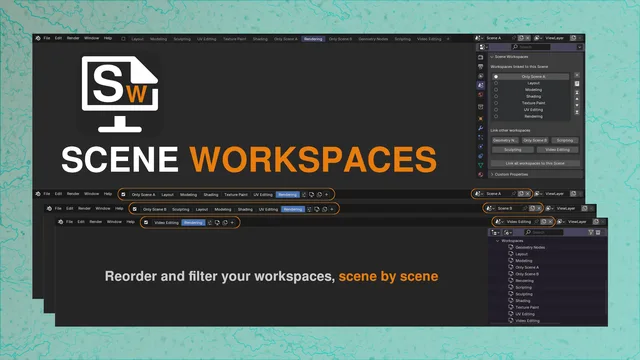
Filter and sort your workspaces, scene by scene
Compatibility: Blender 4.2.0+
官方介绍(中文整理)
过滤并排序您的工作空间, 场景按场景排列。
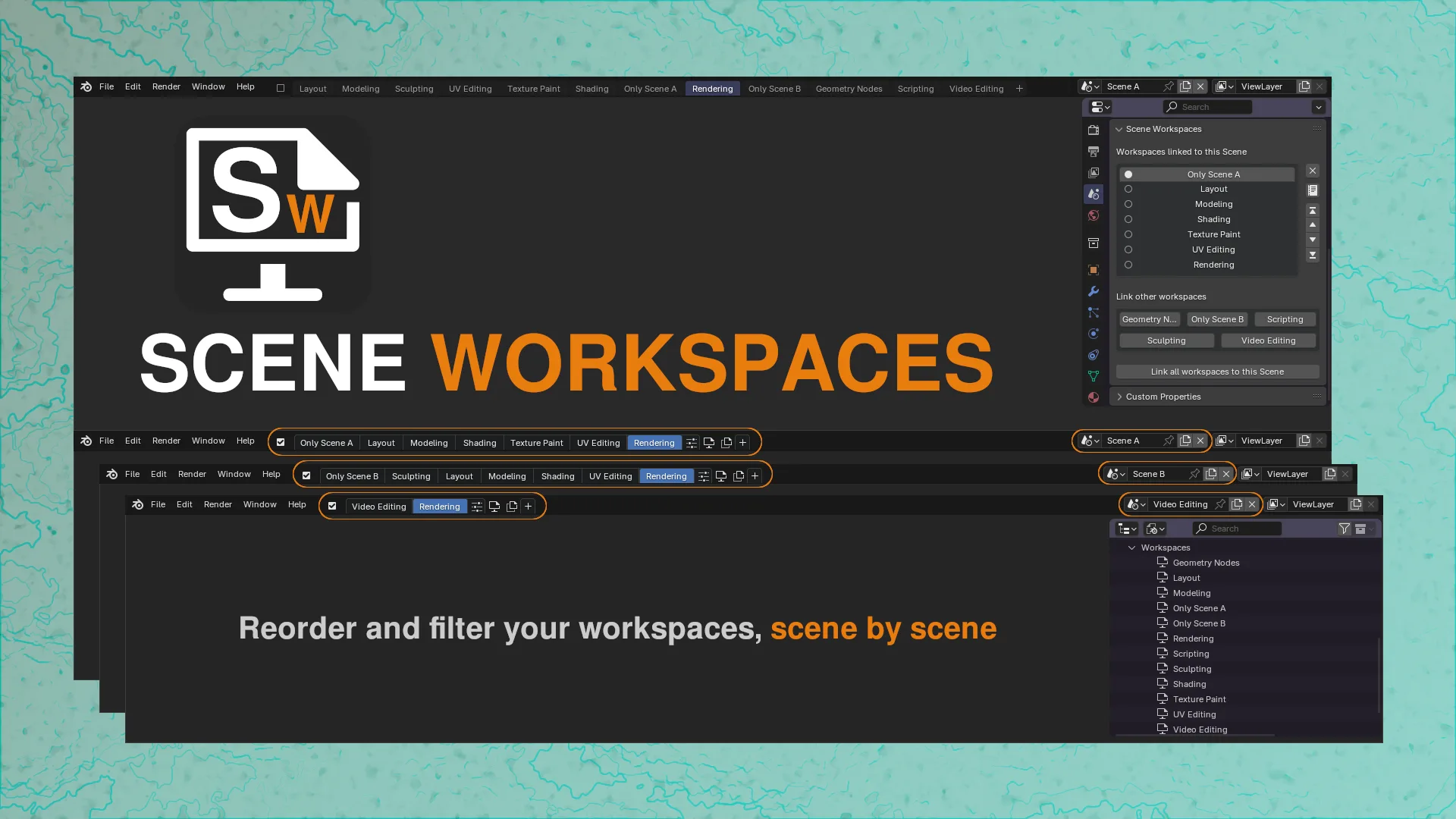
场景工作空间创建了替代的工作空间顶端栏, 允许您过滤和重新排列工作空间, 按场景排列。
基本上,你可以决定您想要连接到每个场景的工作空间。
工作空间对有不同需求/目的的多场景的项目特别有用。
场景工作空间基于场景一级的简单自定义属性。
随便自便
您可以根据附加偏好自定义 Seen 工作空间 :
- 仅显示多个场景( 默认: 关闭)。 仅在项目有多个场景时才显示顶部栏( 并最终显示复选框 )。 总之, 只要只有一个场景, 场景工作空间就会消失。
- 自动初始化 Seen 工作空间( 默认: on) 自动将所有可用的工作空间( 如果为空) 添加到当前场景。 如果可用的工作空间符合 5 个默认模板之一, 则在初始化时将自动排序。 否则, 工作空间将按字母顺序排序。
- 激活时显示复选框( 默认 : on) 时, 显示一个复选框, 可以在 Seen 工作空间和默认上列之间切换。 此复选框将直接影响下一个首选项。
- 使用Seen Workspaces 上栏( 默认值: 开) 在SeenWorkingspaces上栏和默认上栏之间切换。
- 使用集约模式( 默认: 开) 也从工作空间菜单中有效。 FOF 的集约模式
顶栏菜单
您通常可以通过右键单击工作空间( 以及更多) 来做哪些事情, 点击接近选项按钮是值得的。
第一个选项来自场景工作空间:
- 切换压缩模式( 优先)
- 解除工作空间与场景的链接
- 重命名( 所有场景)
- 重排到前方( 仅为此场景)
查看官方原文摘要(English)
Scene Workspaces creates an alternative workspaces topbar, allowing you to filter and reorder workspaces, scene by scene.
Basically, you can decide which workspace you want to link to each scene.
Scene Workspaces can be particularly useful in projects with multiple scenes with different needs/purpose.
Scene Workspaces is based on simple custom properties at scene level.
Make yourself comfortable
You can customize Scene Workspaces from add-on preferences:
- Show only with multiple scenes (default: off) Show the topbar (and eventually the checkbox) only when the project has multiple scenes. Basically, Scene Workspaces disappear as long as you have one scene only.
- Auto initialize Scene Workspaces (default: on) Automatically add all available workspaces to the current scene, if empty. If available workspaces match one of the 5 default templates, they will be automatically ordered on initialization. Otherwise, workspaces will be ordered alphabetically.
- Show Checkbox (default: on) When active, shows a checkbox to switch between Scene Workspaces and the default topbar. This checkbox will directly affect the next preference.
- Use Scene Workspaces topbar (default: on) Switch between Scene Workspaces topbar and the default topbar.
- Use Compact Mode (default: on) Also avaliable from the workspace menu. Compact Mode ON Compact Mode OFF
Topbar menus
What you can usually to do by right-clicking on a workspace (and more) it's avaliable by clicking the near options button.
The first options are the ones from Scene Workspaces:
- Toggle Compact Mode (preference)
- Unlink workspace from scene
- Rename (for all scenes)
- Reorder to front (only for this scene)
安装方法
- 打开 Blender「编辑 → 偏好设置 → 获取扩展(Get Extensions)」,搜索 Scene Workspaces,可直接从官方库安装。
- 手动安装时,选择适合当前 Blender 版本与系统的 ZIP 包,在「获取扩展」右上角菜单选择「从磁盘安装(Install from Disk)」,选中 ZIP 文件,无需解压。
- 安装后,在偏好设置的「插件(Add-ons)」中确认已启用,并按作者说明使用。
下载安装包
请选择与你的 Blender 版本和操作系统相符的文件,下载由 Blender 官方扩展库提供。
正在加载安装包…
来源与许可
- 作者 / 维护者:Francesco-Bellini
- 许可:SPDX:GPL-3.0-or-later
- 来源:Blender 官方扩展库


暂无评论内容