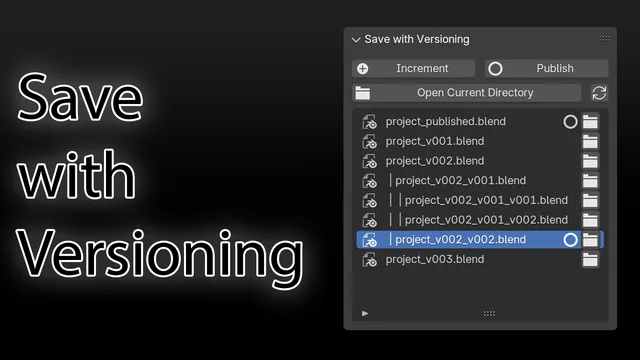


Blender 官方扩展库收录Blender 插件
资源介绍
Save incremental and use published files for asset linking
Compatibility: Blender 4.2.0+
官方介绍(中文整理)
保存已公布的增量文件并使用已公布的文件进行资产链接。
以版本保存 – 模糊扩展链接
简介
“ 保存版本” Blender add- on 为保存您的 Blender 文件提供了方便的保存方式, 包括自动版本和发布功能。 此附加有助于您跟踪您的项目进度, 并方便地与您的团队或客户共享最新版本。
地点地点地点地点
递增和发布按钮可在以下两个地点找到:
- 视图3D > 页眉, 在视图端口转换模式旁边。
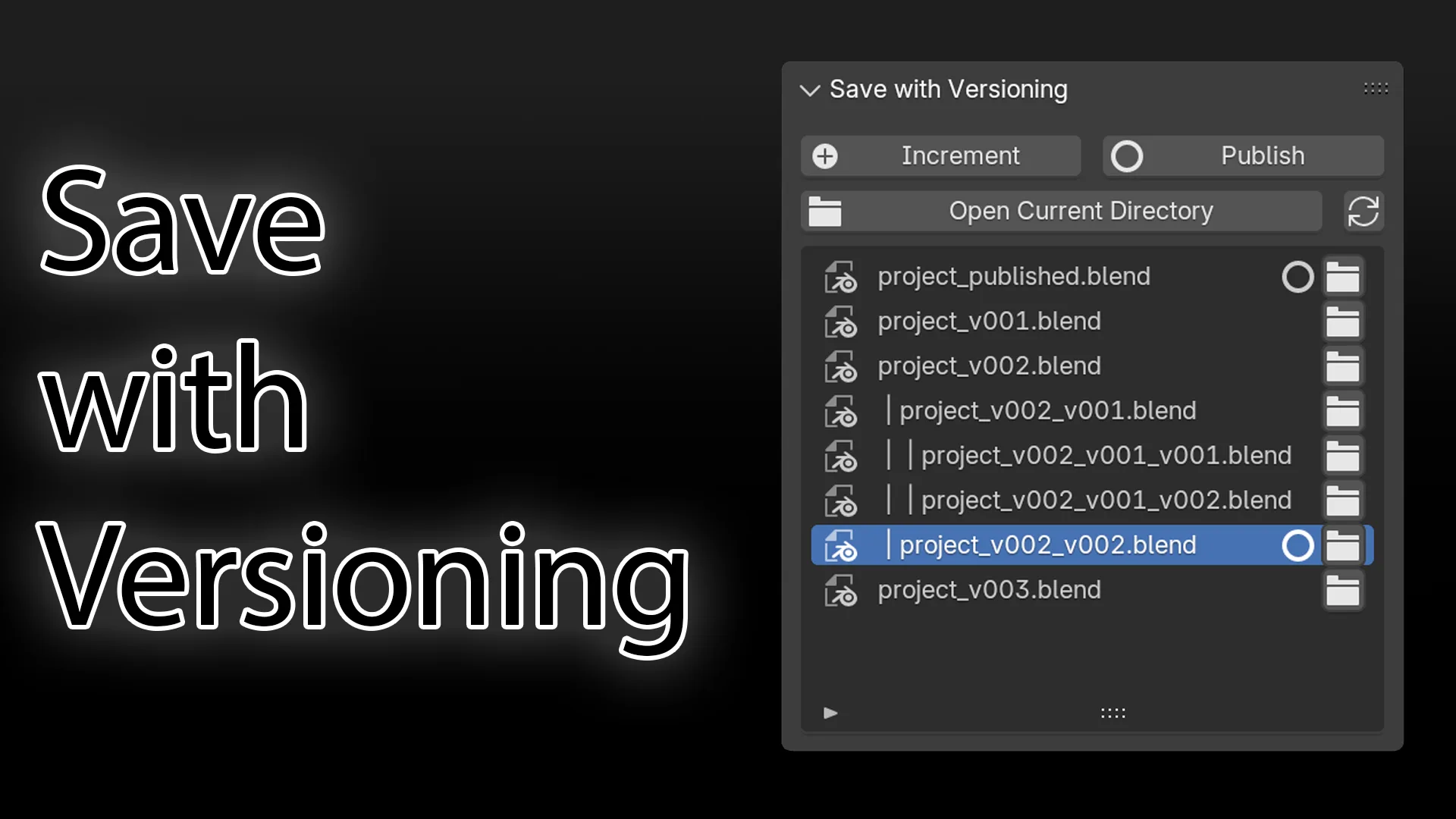
- View3D > 侧边栏 > 工具 > 保存为版本面板。
密钥特征
- 自动版本: 当您保存您的 Blender 文件时, 添加时自动递增文件名中的版本号, 从而容易跟踪更改。
- 发布功能 : 文件的发布版本将永远是最新的更新版本。 这样您就可以将资产链接到已发布文件, 同时您可以继续不同递增版本的工作。
- 自动资产链接: 当发布当前文件时, 与已发布版本链接的所有文件将自动获得更新版本。
- 自定义后缀: 您可以自定义版本后缀, 并在添加首选项中发布后缀。
- 文件列表: 查看当前目录中所有已版本和已发布文件的列表。
- 打开文件: 方便地从文件列表直接打开文件的任何版本。
- 打开当前目录: 快速访问您当前文件的目录。
- 自动更新: 在装入或保存文件时, 文件列表会自动更新。
扩展优惠优惠制
您可以自定义附加行为, 获取“ 保存版本” 偏好 :
查看官方原文摘要(English)
Save with Versioning – Blender Extension Link
Description
The "Save with Versioning" Blender add-on provides a convenient way to save your Blender files with automatic versioning and publishing functionality. This add-on helps you keep track of your project's progress and easily share the latest version with your team or clients.
Location
The increment and publish buttons can be found in two locations:
- View3D > Header, beside the viewport render modes.
- View3D > Sidebar > Tool > Save with Versioning panel.
Key Features
- Automatic Versioning: The add-on automatically increments the version number in the file name when you save your Blender file, making it easy to keep track of changes.
- Publish Functionality: The published version of the file will always be the newest, up-to-date version. This allows you to link assets to the published file, while you can continue working on different incremental versions.
- Automatic Asset Linking: When you publish the current file, all the files that are linked to the published version will automatically get the updated version.
- Customizable Suffixes: You can customize the version suffix and publish suffix in the add-on preferences.
- File List: View a list of all versioned and published files in the current directory.
- Open Files: Easily open any version of your file directly from the file list.
- Open Current Directory: Quickly access the directory of your current file.
- Auto-refresh: The file list automatically updates when you load or save a file.
Extension Preferences
You can customize the add-on's behavior by accessing the "Save with Versioning" preferences:
安装方法
- 打开 Blender「编辑 → 偏好设置 → 获取扩展(Get Extensions)」,搜索 Save with Versioning,可直接从官方库安装。
- 手动安装时,选择适合当前 Blender 版本与系统的 ZIP 包,在「获取扩展」右上角菜单选择「从磁盘安装(Install from Disk)」,选中 ZIP 文件,无需解压。
- 安装后,在偏好设置的「插件(Add-ons)」中确认已启用,并按作者说明使用。
下载安装包
请选择与你的 Blender 版本和操作系统相符的文件,下载由 Blender 官方扩展库提供。
正在加载安装包…
来源与许可
- 作者 / 维护者:DShot92
- 许可:SPDX:GPL-3.0-or-later
- 来源:Blender 官方扩展库
© 版权声明
本站除原创作品外的资源均收集于网络,只做学习和交流使用,版权归原作者所有,请在下载后24小时之内自觉删除。若作商业用途,请购买正版。
THE END


![[搬运]超级粘液资产合集-魔酷网](https://i.blender.kim/wp-content/uploads/2026/01/20260131142748712.png)


暂无评论内容