

资源介绍
A stand-alone exporter for the Panda3D .egg format
Compatibility: Blender 5.0.0+
官方介绍(中文整理)
Panda3D.egg格式的独立导出商。
全部删除( O)
Panda3D 游戏引擎/框架使用的.egg 文件格式快速、简便、简便的导出商。使用此附加文件不需要安装 Panda3 D。
使用方法
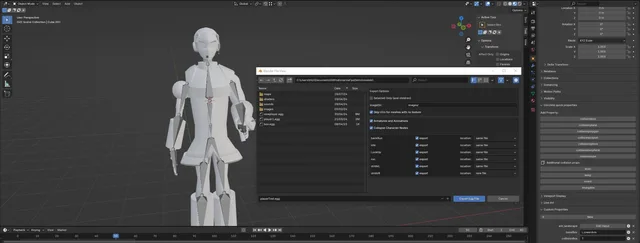
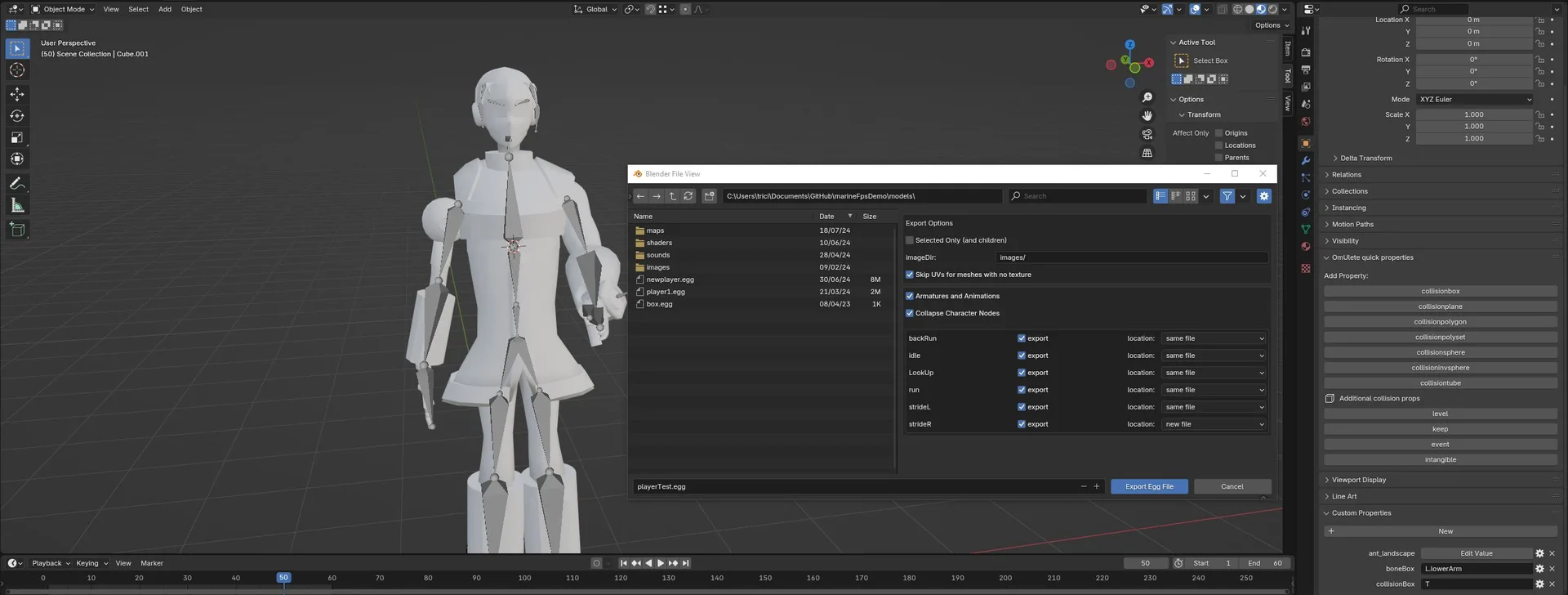
一旦您启用了附加目录, 请从文件导出中选择“ egg (panda3d) ”。 在导出前, 请确定调整图像Dir 变量。 这应该是您的纹理相对于您配置文件中指定的模型目录的目录。 所有几何都将导出。 今后, 我可能会让它变得更智能。
多纹度尚未支持。 用于导出几何的唯一纹理是每个节点材料中第一个指定的纹理。
*# CollisionShapes 和其他自定义财产促成的节点 OMUlete 现在得到了对导出碰撞形状的支持, 我计划至少在未来增加对序列节点的支持。 您可以将一个对象和它的子孙变成一个碰撞形状, 添加一个定制属性, 名称如下( 具有任何资本化) : “ collisionbox” , “colliisionpollygon” ,“ collisionpolygon ” , “colrisionpolyset , ” “ collicionsphere” , (collisiioninvsphere ) , “ coliliiontube ,” “coliliiontolube ”。
注注注注注小小小小大小小小的小小小小注小小大大小小注大小小大注小小注注小大小大小的小小大小注小注小大大大大小大大注小注注注大大小注注大小大的小小小的小大小小注释小小小 小小小小备小小小牙小小小号小小小脚注小小小注释大小小的小的小小小注的小小小大注释小小注 注小小小中小小小说小小小书小小小通小小小的小小小看小小小 注注小小的小注小小注释注注小注注释小小大中小小注中小小大的小注注小的小小的小小注释小注小注释小大小注释小的小小注小的小大大小注释注小小书大小小中大小小脚注注小小牙注注注的小小注注注释小大注注注注释注小注大大大注注大注注小注释注释小小注释的小小小注释中小小的小注释小小的小中小
我试图导出一个手臂和动画, 通过使用设置只导出选定对象。 然而, 我发现一个错误。
omUlete 的构建方式只能通过先通过非装配对象进行迭接,然后保存那些有手臂变形的物体,从而在卵文件中生成动画对象。 我希望能够解决这个问题, 这样可以导出一个没有几何形状的臂章, 但这需要整个插件多多少少从头重写。
为什么有些导出梅斯 随机内部外出?
我发誓这是Blender的错。 通常Blender仓库以逆时针顺序循环, 这正是我们需要和期望的。 但是, 有时它只是… 不。 最终解决这个问题需要更多的时间和浮肿。 目前, 请尝试( 如果网格对称的话 ) 在重新计算正常之前应用所有规模变换( 缩放 – 1 )。 您也可以/ 尝试以相反的方向重新计算正常。 但是, 请注意, 这只是一种黑客化的方法来交换顶点顺序。 照明会与它应该是什么相反 ! * gulp * 如果全部失败, 不要忘记您正在处理鸡蛋文件, 并且您可以手动编辑导出的产品。 但是, 这意味着您必须在每个导出处进行编辑, 所以要小心。
我将导出一个动画字符 与“折叠字符节点”没有选中, 但最后的动画看起来扭曲了!
这是因为一个熊猫3d字符(这是演员类背后动画负责班的名称)预计所有被骨骼扭曲的几何学起源都与骨骼本身相同。 (注意:蛋箱中的骨骼起源其实只是顶层骨骼的抵消)。
我考虑做它 这样变形的网状的起源 自动调整 来匹配任何机体变形的起源, 但我意识到,重要的是 某些建模者 具体知道那个起源在哪里, 所以我没有加上这个特征。
事实上,只要确保动画是真实的并被正确导出, 你只需要在导出鸡蛋文件中找到动画字符的顶部, 然后将 < Dart> { 结构化} 更改为 < Dart > { 1} , 动画应该看起来完全如意!
导出后我的纹身不会上膛!
- 您的图像目录是否在您的配置文件定义的模型目录下?
- 如果这不起作用, 请尝试在Blender中将文件扩展名附加到纹理的名称上。
查看官方原文摘要(English)
omUlette
A quick and easy, lightly-featured exporter for the .egg file format used by the Panda3D game engine/framework. Using this add-on does not require installation of Panda3D.
Usage
Once you have enabled the add-on, just select "egg (panda3d)" from file-export. Before exporting, be sure to adjust the imageDir variable. this should be the directory your textures will be in relative to the model directory as specified in your config file. All geometry will be exported. In the future, I might make it so this is more intelligent.
Multi-texturing is not yet supported. The only texture applied to exported geometry is the first one specified per node-based material.
##CollisionShapes and other custom-property enabled nodes omUlete now has support for exporting collision shapes, and I have plans to at least add support for sequence nodes in the future. you can make an object and it's children a collision shape by adding a custom property with one of the following names (with any capitalization): 'collisionbox' 'collisionplane' 'collisionpolygon' 'collisionpolyset' 'collisionsphere' 'collisioninvsphere' 'collisiontube'
Notes
I'm trying to export just an armature and it's animations, by using the setting to only export selected objects. however, I get an error.
omUlete is built in a way that can only generated animated objects in an egg file by first iterating through non-armature objects, and saving those that have a armature deformation for later. I'd love to fix this so an armature without geometry could be exported, but that would require that the whole plugin be more or less rewritten from scratch.
Why are some exported meshes randomly inside-out?
I swear this is blender's fault. Normally blender stores loops in a counterclockwise order, which is what we need and expect. however, sometimes it just… doesn't. Ultimately fixing this would involve way more time and bloat. For now, try (scaling by -1 if your mesh is symmetrical and) applying all scale transformations before recalculating the normals. You can also/try instead recalculating the normals in the opposite direction. However, note that this is just a hacky way to swap the vertex order. Lighting will be the opposite of what it's supposed to be! *gulp* If all fails, don't forget that you're dealing with egg files and that you can manually edit the exported product. However, this means you'll have to make the edit on every export, so be careful.
I'm exporting an animated character with the "Collapse Character Nodes" not ticked, but the final animation looks distorted!
This is because a panda3d character (That's the name of the class responsible for animation behind the actor class) expects that the origin of all geometry distorted by a skeleton to be the same as that of the skeleton itself. (note: the origin of a skeleton in an egg file is really just the offset of all the top-level bones).
I considered making it so that the origin of deformed mesh is auto-adjusted to match that of any armature deforming it, but I realized that it's important for some modelers to know specifically where that origin is, so I didn't add that feature.
In fact, all you have to do to ensure that animation is in-fact getting exported correctly is to find the top of the animated character in the exported egg file and change <Dart> {Structured} to <Dart> {1} and the animation should look entirely as intended!
My textures won't load after exporting!
- Is your image directory underneath your model directory as defined in your config file?
- If that doesn't work, try appending the file extension to the texture's name in blender.
安装方法
- 打开 Blender「编辑 → 偏好设置 → 获取扩展(Get Extensions)」,搜索 omUlete,可直接从官方库安装。
- 手动安装时,选择适合当前 Blender 版本与系统的 ZIP 包,在「获取扩展」右上角菜单选择「从磁盘安装(Install from Disk)」,选中 ZIP 文件,无需解压。
- 安装后,在偏好设置的「插件(Add-ons)」中确认已启用,并按作者说明使用。
下载安装包
请选择与你的 Blender 版本和操作系统相符的文件,下载由 Blender 官方扩展库提供。
正在加载安装包…
来源与许可
- 作者 / 维护者:Jackson-Sutherland
- 许可:SPDX:GPL-3.0-or-later
- 来源:Blender 官方扩展库


暂无评论内容