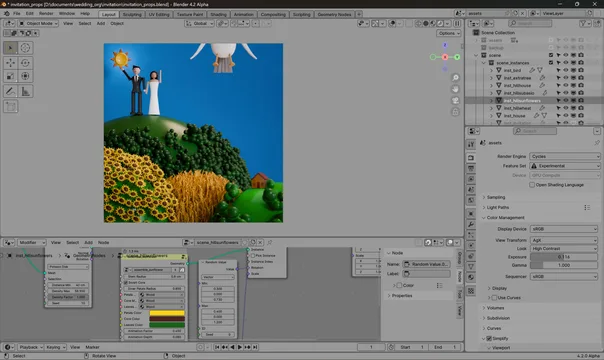


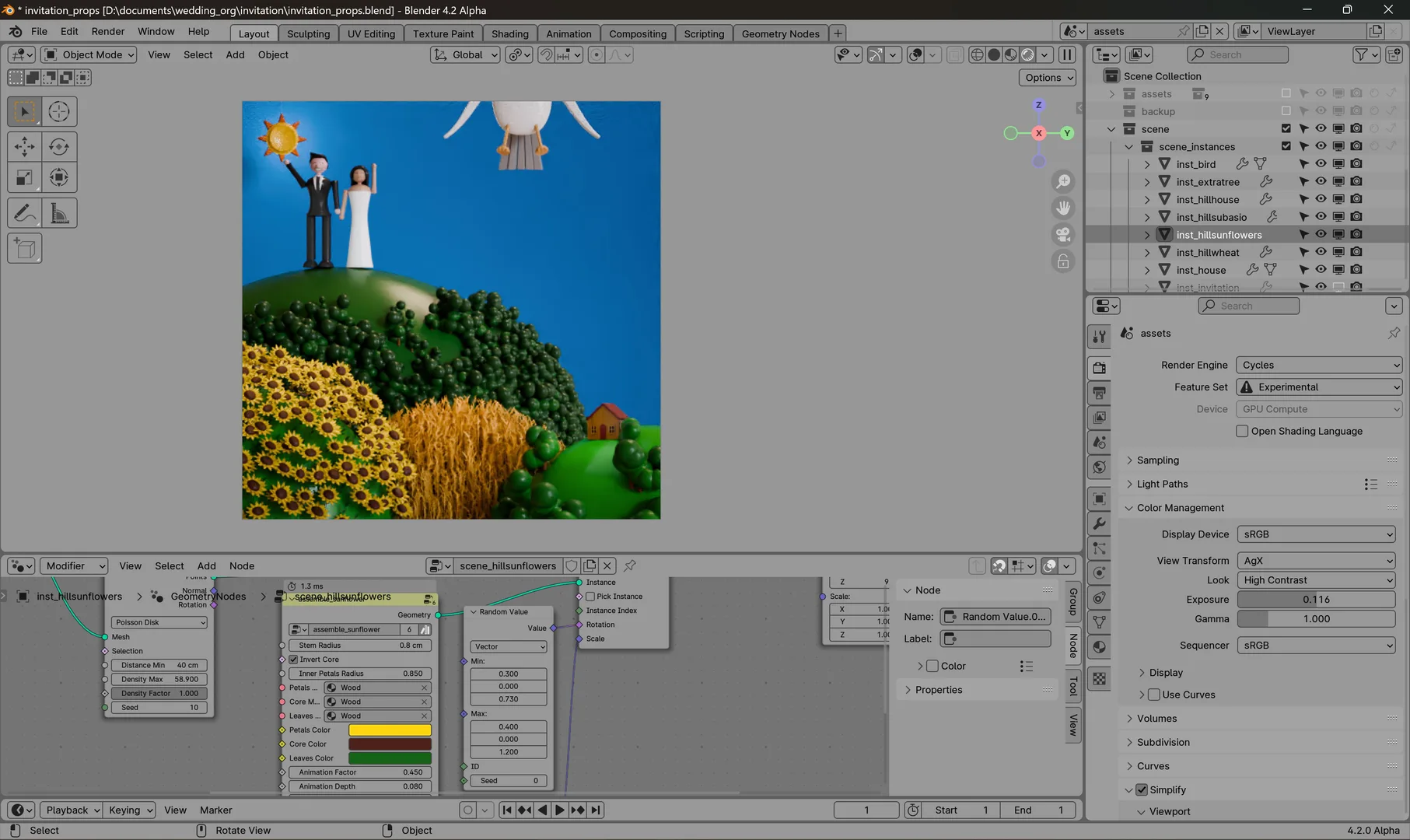
资源介绍
A neutral grey theme for Blender
Compatibility: Blender 5.0.0+
官方介绍(中文整理)
Blender 的中性灰色主题。
此主题为 Blender 提供了一个中性主题灰色。 此选项非常有用, 因为像棋影幻觉这样的光学现象。 它主要依靠中间灰色来显示界面的每个方面, 它试图将视图内容与周围界面的对比最小化。
提示 : 当检查您与此主题的关系时, 启用相机选项中的路路口, 并将其不透明性设为 1.0 , 以减少周围环境的影响。
主题最初以中性主题为主,
查看官方原文摘要(English)
This theme provides a neutral theme grey for Blender. This option is useful because of optical phenomena such as the checker shadow illusion. By relying mostly on midgrey for every aspect of the interface, it tries to minimize the contrast between the viewport content and the surrounding interface.
Tip: when checking your render with this theme, enable the passepartout in the camera options and set its opacity to 1.0 to reduce the influence of the surrounding context.
The theme is originally based on Neutral – Theme for Blender 2.8 by TheRedWaxPolice.
安装方法
- 打开 Blender「编辑 → 偏好设置 → 获取扩展(Get Extensions)」,搜索 Neutral Grey,可直接从官方库安装。
- 手动安装时,选择适合当前 Blender 版本与系统的 ZIP 包,在「获取扩展」右上角菜单选择「从磁盘安装(Install from Disk)」,选中 ZIP 文件,无需解压。
- 安装后,在偏好设置的「主题(Themes)」中选择该主题。
下载安装包
请选择与你的 Blender 版本和操作系统相符的文件,下载由 Blender 官方扩展库提供。
正在加载安装包…
来源与许可
- 作者 / 维护者:scopelma
- 许可:SPDX:GPL-2.0-or-later
- 来源:Blender 官方扩展库


![[搬运]超级粘液资产合集-魔酷网](https://i.blender.kim/wp-content/uploads/2026/01/20260131142748712.png)


暂无评论内容