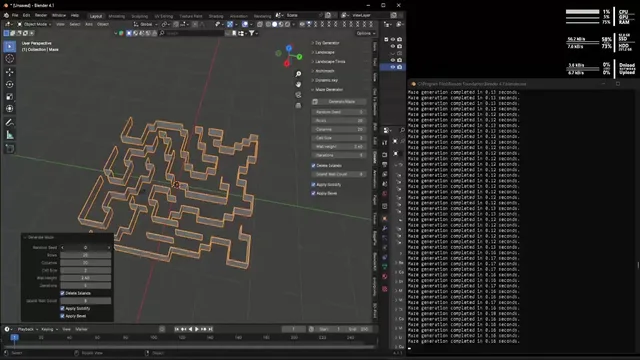


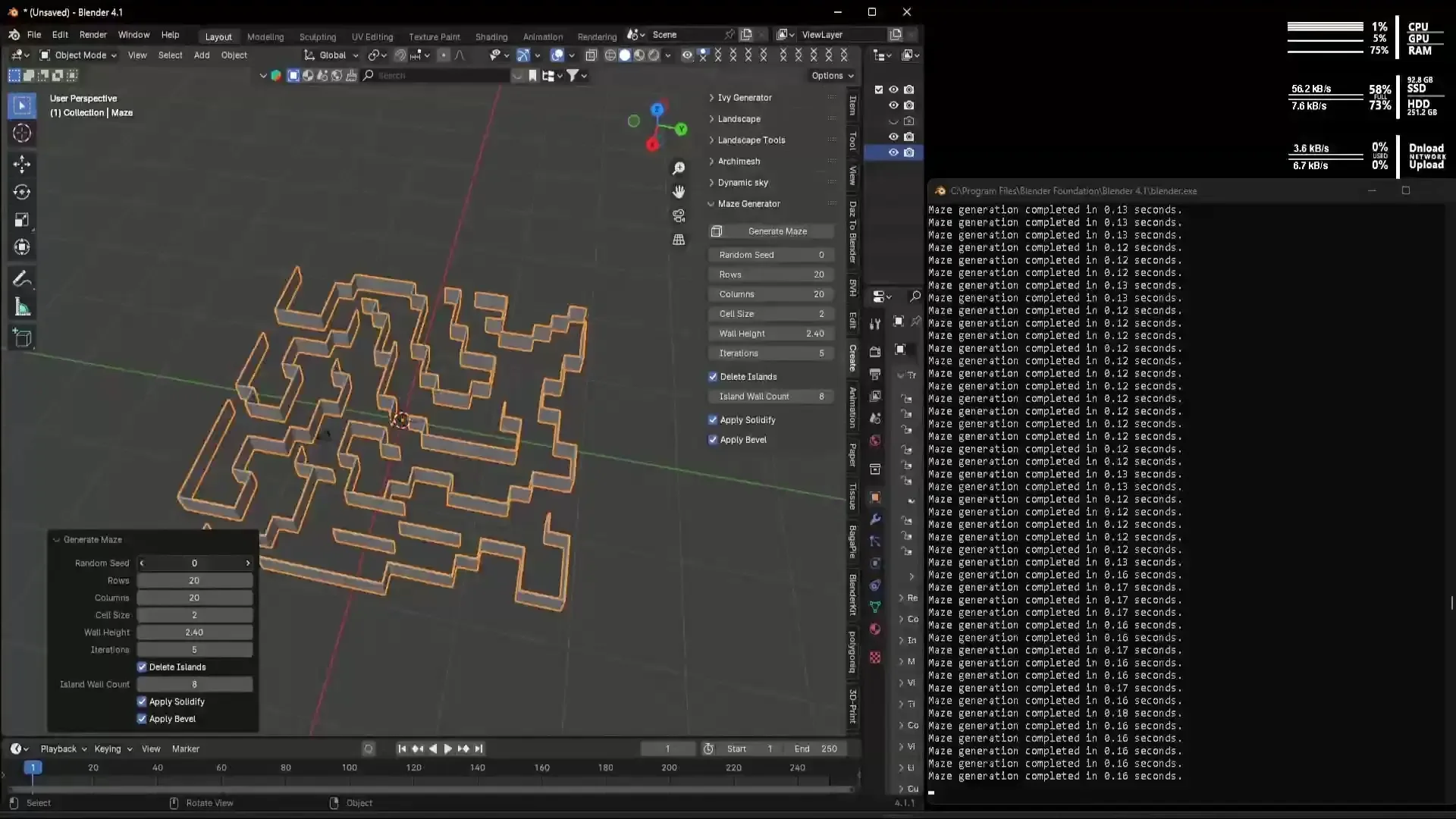
资源介绍
A Maze generator extension for Blender
Compatibility: Blender 4.2.0+
官方介绍(中文整理)
布伦德的Maze发电机分机
简介
“Maze Generator”是 Blender 官方扩展库中的插件,本段具体功能请展开查看下方官方原文。
Maze 生成器是用于在 Blender 中创建可定制、随机的迷宫的Blender 添加板。 这个工具对于游戏开发、建筑可视化或艺术项目的用户来说是理想的,他们需要快速生成各种配置的复杂迷宫。
功能特点
- 随机Maze Game — — 生成具有可定制尺寸和属性的迷宫。 用户可以调整行、 列、 单元格大小和墙高等参数, 以改变迷宫的复杂性和大小。
- 固化变形器——可选择使用固化变型器给迷宫墙厚度,增强3D外观。
- 变形器——可选使用变形器平滑迷宫墙的边缘,提供更光滑的外观。
- 楼层和天花板——在迷宫产生时,可选择增加一层楼和天花层,每个天花板都是自己设定的,以便自己提供材料或独立取走材料。
- 边界墙——可选附上外墙框中的迷宫,由可调适的细胞从迷宫边缘推出,将迷宫变成一个自足的房间。
- 入口和出境——可以选择切断边界的出入口,以确定起始区和终点区。每个开口都选择墙(北、南、东或西)和沿墙的位置,从一个角落到中心,再到另一个角落——两个开口甚至可以共用墙。
随机进入和随机退出按钮将门移到对面墙上的随机地点,并立即重建,以便你可以洗手,直到你喜欢为止。
- 高级配置选项 – 包括随机种子输入的设置, 允许用户持续复制特定的迷宫。 额外的控制用于删除迷宫的孤立区(“ 岛屿”)并通过迭代调整复杂性。
- 实时更新——从Blender UI实时调整迷宫参数,并在3D视图中立即进行视觉反馈。
如何使用
- 在 Blender 中安装插件。
- 导航到侧边栏 > 在 3D 视图中创建标签。
- 调整位于Maze公司左下方的Maze发电机面板的迷宫参数
视图: – 行和列—— 调整X和Y轴的网格分区水平以控制墙数。 – 细胞大小—— 改变迷宫的总体大小。 – 墙高度—— 控制迷宫墙的高度。 单击“生成迷宫”按钮以创建新的迷宫。 5. 通过修改材料或为增强视觉效果应用额外的闪光修改器,进一步定制生成的迷宫。每个部分(迷宫、地板、天花板和边界)都是一个单独的对象,这样您就可以在着色器编辑器中指定每种材料。
查看官方原文摘要(English)
Description
***Please note: The support link for github on this page no longer works and did not update on upload of new version, I have lost access thanks to the Microsoft Authenticator. For support requests email me or visit https://github.com/ljsau/Blender-Maze-Generator – Apologies for this error. I moved from Android to iPhone and the Microsoft Authenticator keeps invalidating 2FA on all kinds of places every few weeks ever since.
The Maze Generator is a Blender add-on designed to create customizable, random maze meshes within Blender. This tool is ideal for users in game development, architectural visualization, or artistic projects who need to quickly generate complex mazes with various configurations.
Features
- Random Maze Generation — Generate mazes with customizable dimensions and properties. Users can adjust parameters such as rows, columns, cell size, and wall height to vary the complexity and size of the maze.
- Solidify Modifier — Optionally apply a solidify modifier to give thickness to maze walls, enhancing the 3D appearance.
- Bevel Modifier — Optionally apply a bevel modifier to smooth out the edges of the maze walls, providing a more polished look.
- Floor & Ceiling — Optionally add a floor and a ceiling when the maze is generated. Each is created as its own object, so you can give it its own material or remove it independently.
- Boundary Walls — Optionally enclose the maze in an outer wall frame, pushed out from the maze edge by an adjustable number of cells, turning the maze into a self-contained room.
- Entrance & Exit — Optionally cut entrance and exit openings into the boundary to define start and end areas. Place each opening by choosing a wall (North, South, East, or West) and a position along it, from one corner through the centre to the other — both openings can even share a wall.
Randomise Entrance and Randomise Exit buttons move a door to a random spot on the opposite wall and rebuild instantly, so you can shuffle until you like it.
- Advanced Configuration Options — Includes settings for random seed input, allowing users to reproduce specific mazes consistently. Additional controls for deleting isolated sections ("islands") of the maze and adjusting the complexity through iterations.
- Real-time Updates — Adjust maze parameters in real-time from the Blender UI, with immediate visual feedback in the 3D view.
How to Use
- Install the add-on in Blender.
- Navigate to the Sidebar > Create tab in the 3D View.
- Adjust the maze parameters in the Maze Generator panel located at the bottom left of the
viewport: – Rows and Columns — Adjust the subdivision level of the grid on the X and Y axis to control the number of walls. – Cell Size — Modifies the overall size of the maze. – Wall Height — Controls the height of the maze walls. – Environment Options — Optionally add a floor, ceiling, and boundary walls, and cut an entrance and exit into the boundary at the positions you choose. 4. Click the Generate Maze button to create new mazes with your current settings. 5. Further customize the generated maze by modifying materials or applying additional Blender modifiers for enhanced visual effects. Each part (maze, floor, ceiling, and boundary) is a separate object, so you can assign each its own material in the shader editor.
安装方法
- 打开 Blender「编辑 → 偏好设置 → 获取扩展(Get Extensions)」,搜索 Maze Generator,可直接从官方库安装。
- 手动安装时,选择适合当前 Blender 版本与系统的 ZIP 包,在「获取扩展」右上角菜单选择「从磁盘安装(Install from Disk)」,选中 ZIP 文件,无需解压。
- 安装后,在偏好设置的「插件(Add-ons)」中确认已启用,并按作者说明使用。
下载安装包
请选择与你的 Blender 版本和操作系统相符的文件,下载由 Blender 官方扩展库提供。
正在加载安装包…
来源与许可
- 作者 / 维护者:Leeroy-Majors
- 许可:SPDX:GPL-3.0-or-later
- 来源:Blender 官方扩展库


暂无评论内容