

资源介绍
All your node trees in one list
Compatibility: Blender 4.2.0+
官方介绍(中文整理)
你们所有的节点树都列在一个列表中。
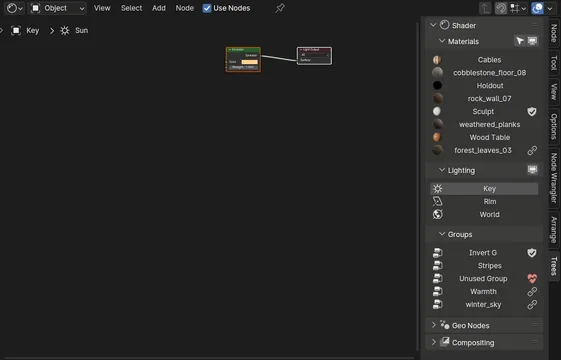
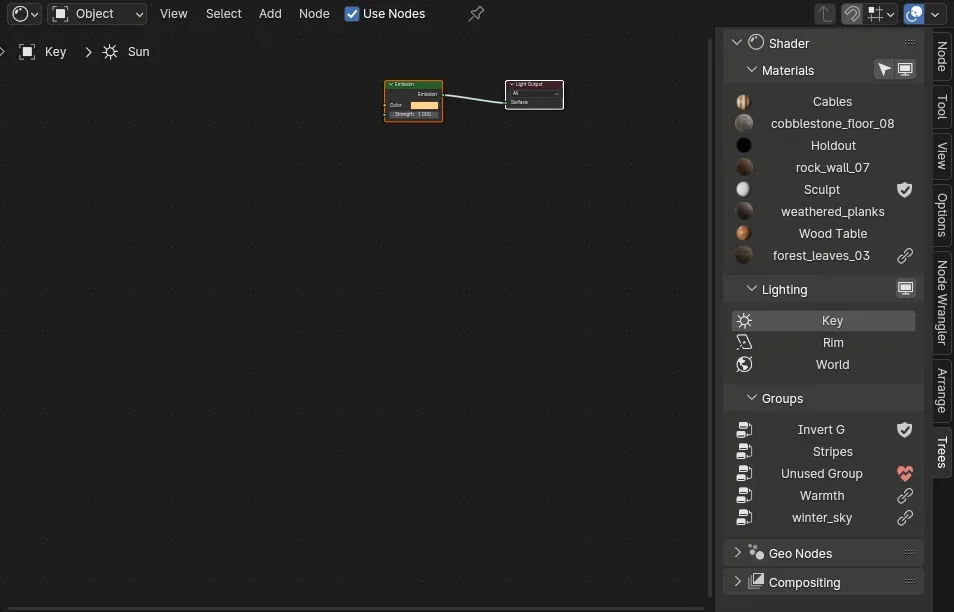
在节点编辑器工具栏中显示材料和其他节点树列表的 Blender 添加。
这使得不同材料在遮蔽时更容易转换,在与多场景合作时更容易进行不同的组合设置。
年长版本:
- 2.8 – 3.6
- 2.7 相光度
文件文件文件文件文件文档文件文件文件会议文件文件文件文件的文件文件文件文件文献文件文件文件资料文件文件文件,文件文件文件文文件文件文件记录文件文件文件归档文件文件文件(文件文件文件 文件文件文件的文件的文件文件文件的文件文献文件文件的文件文档文件文件文档,文件文件文档的文件文件文件文献文献文件文件文档文档文件文件文献的文件文件文件文档文献文件文件文献文档文件文件的文件文文件文件的文件会议文件文件文件的文件资料文件文件文档文文件文件文献会议文件文件文件文档会议文件文件文件文献文文件文件文档资料文件文件的文件提供文件文件文件 Do文件文件文件存档文件文件文件文件中文件文件文件存储文件文件文件保存文件文件文件Do文件文件文件 do文件文件文件
树树树
Blender有多种节点树来源,即:
- 材料和灯光的着色器节点
- 几何节点
- 各类节点组
- 混成
- 自由式节点( 尚未支持)
点击列出的项目之一, 节点编辑器将切换到该树上, 并选择相关对象。
根据以下选项列出所有材料。单击名称可切换到该材料的节点。
- 仅选中对象 – 只显示指定给选定对象的材料, 否则将显示当前场景中的所有材料。
- 仅可见层 – 只显示指定给可见层之一上的物体的材料。 请注意, 如果所有景点都关闭, 其他场景可见层上的材料也将显示。
- 所有场景 – 显示来自所有场景的材料, 而不仅仅是当前场景。 只需禁用所选对象。
查看官方原文摘要(English)
A Blender add-on that displays a list of materials and other node trees right in the toolbar of the Node Editor.
This makes it easier to switch between different materials while shading, and different compositing setups while working with multiple scenes.
Older versions:
- Blender 2.8 – 3.6
- Blender 2.7
Documentation
Trees
There are multiple sources of node trees in Blender, namely:
- Shader nodes for both materials and lights
- Geometry nodes
- Node groups of various types
- Compositing
- Freestyle nodes (not yet supported)
By clicking on one of the listed items, the Node Editor will switch to that tree and select the related objects.
Lists all the materials according to the options below. Click on a name to switch to the nodes for that material.
- Selected Objects Only – Only show materials that are assigned to selected objects, otherwise all materials in the current scene are shown.
- Visible Layers Only – Only show materials that are assigned to objects that are on one of the visible layers. Take note that if All Scenes is off, materials on visible layers of other scenes will be shown too.
- All Scenes – Show materials from all scenes, not just the current one. Requires Selected Objects Only to be disabled.
安装方法
- 打开 Blender「编辑 → 偏好设置 → 获取扩展(Get Extensions)」,搜索 Matalogue,可直接从官方库安装。
- 手动安装时,选择适合当前 Blender 版本与系统的 ZIP 包,在「获取扩展」右上角菜单选择「从磁盘安装(Install from Disk)」,选中 ZIP 文件,无需解压。
- 安装后,在偏好设置的「插件(Add-ons)」中确认已启用,并按作者说明使用。
下载安装包
请选择与你的 Blender 版本和操作系统相符的文件,下载由 Blender 官方扩展库提供。
正在加载安装包…
来源与许可
- 作者 / 维护者:GregZaal
- 许可:SPDX:GPL-3.0-or-later
- 来源:Blender 官方扩展库


暂无评论内容