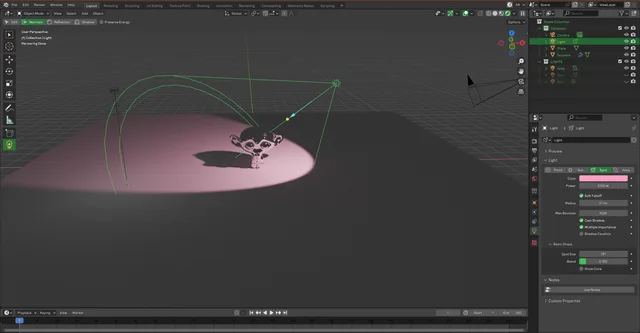


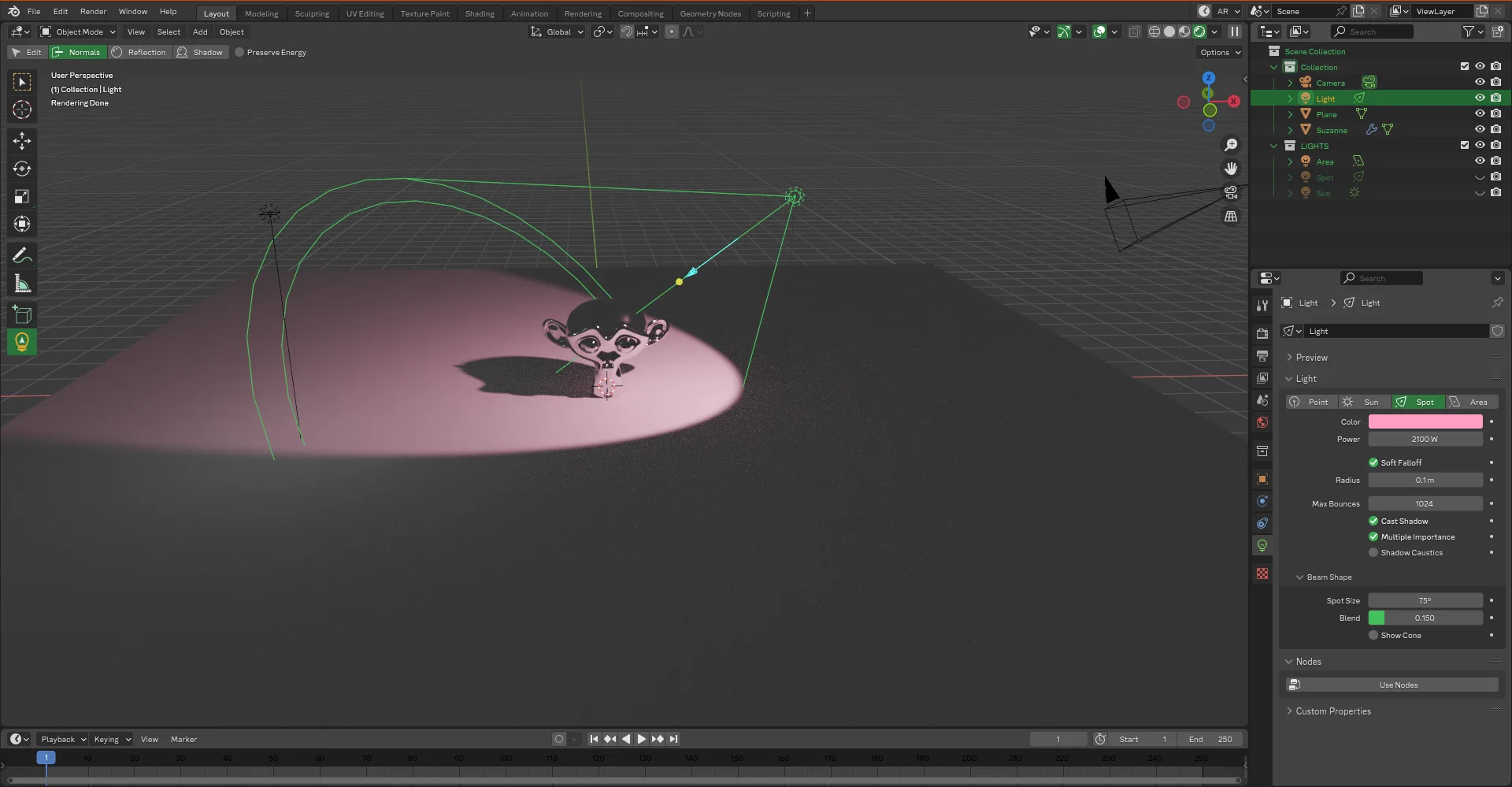
资源介绍
Bring your lighting to the next level
Compatibility: Blender 4.2.0+
官方介绍(中文整理)
把你的灯光带到下一个水平
卢默斯是什么?
Lumos 是一个轻量级编辑器和管理器。 它将允许您加快照明进程, 并给您带来更多功能。
它配有派菜单和工具 会给你创造过程中更大的灵活性
新的工具打开了艺术光线放置 在你的场景, 通过给予你加入 新的互动操作员。
功能特点
警告:对于法国用户(AZERTY),QUOTE 键是 SQUARRED 键(2)
Light 面板编辑器: 在 3D 视图中按 CTRL + " (QUOTE) : 列出场景的所有光并修改它们。
灯光管理者:N-PANEL:
- 按 Shigh + "(QUOTE) 在 3D 视图中, 当未选择光时按 shit + " (QUOTE) : 在选定的收藏中创建灯光, 并决定这些灯( 在世界位置或光标位置) 在哪里创建灯光。
- 按 shit + "( QUOTE) 在 3D 视图中, 显示/ 隐藏全部、 孤立、 锁定、 查看和删除。
光编辑工具 : 用选中的灯光按 3D 视图中的 L
- E:通过横向移动增加/减少光能。
- F:在本地 Z Axe 中向前/向上移动。
- C + X : 改变灯光色。
- C+Y : 改变光值。
- 正常模式 : 按 2 (TWO) 在 3D 视图中 : 交互式地根据正常情况将光点置于正常状态。
- 反射( 镜像) 模式 : 按 3D 视图中的 3 (THREE) : 交互式地根据反射使光亮化。
- 阴影模式 : 按 4 (4OUR) 在 3D 视图中按 4 (FOUR) : 根据 阴影 投影 , 交互式地将光点放在。
查看官方原文摘要(English)
WHAT IS LUMOS ?
Lumos is a light editor & manager. It will allow you to speed up your lighting process and will bring you some additional features.
It comes with pie menus and tools that will give you more flexibility in your creation process.
New Tool unlock artistic light placement in your scene by giving you acces to new interative operators.
FEATURES
WARNING: For french users (AZERTY), QUOTE key(") is SQUARRED key (²)
Light Panel Editor : press CTRL + "(QUOTE) in the 3D View : List all the light of the scene and modify them.
Light Manager : N-PANEL :
- press SHIT + "(QUOTE) in the 3D View when no light is selected : Create lights in a choosen collection and decide where those lights are created (at world position or cursor position)
- press SHIT + "(QUOTE) in the 3D View with a light selected : Show/Hide All, Isolate, Lock, LookThrought and Delete.
Light Edit Tool : press L in the 3D View with a selected light
- E : Increase/decrease the light energy by moving horizontally.
- F : Move forward/toward in local Z Axe.
- C + X : Change light's hue.
- C + Y : Change light's value.
- Normals Mode : press 2 (TWO) in the 3D View : Interactively places the light according to the normal.
- Reflection(Specular) Mode : press 3 (THREE) in the 3D View : Interactively places light according to its reflection.
- Shadow Mode : press 4 (FOUR) in the 3D View : Interactively places light according to the shadow cast.
安装方法
- 打开 Blender「编辑 → 偏好设置 → 获取扩展(Get Extensions)」,搜索 Lumos,可直接从官方库安装。
- 手动安装时,选择适合当前 Blender 版本与系统的 ZIP 包,在「获取扩展」右上角菜单选择「从磁盘安装(Install from Disk)」,选中 ZIP 文件,无需解压。
- 安装后,在偏好设置的「插件(Add-ons)」中确认已启用,并按作者说明使用。
下载安装包
请选择与你的 Blender 版本和操作系统相符的文件,下载由 Blender 官方扩展库提供。
正在加载安装包…
来源与许可
- 作者 / 维护者:Eqkoss
- 许可:SPDX:GPL-3.0-or-later
- 来源:Blender 官方扩展库


![[搬运]超级粘液资产合集-魔酷网](https://i.blender.kim/wp-content/uploads/2026/01/20260131142748712.png)


暂无评论内容