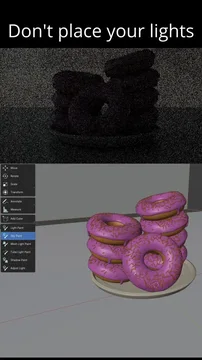


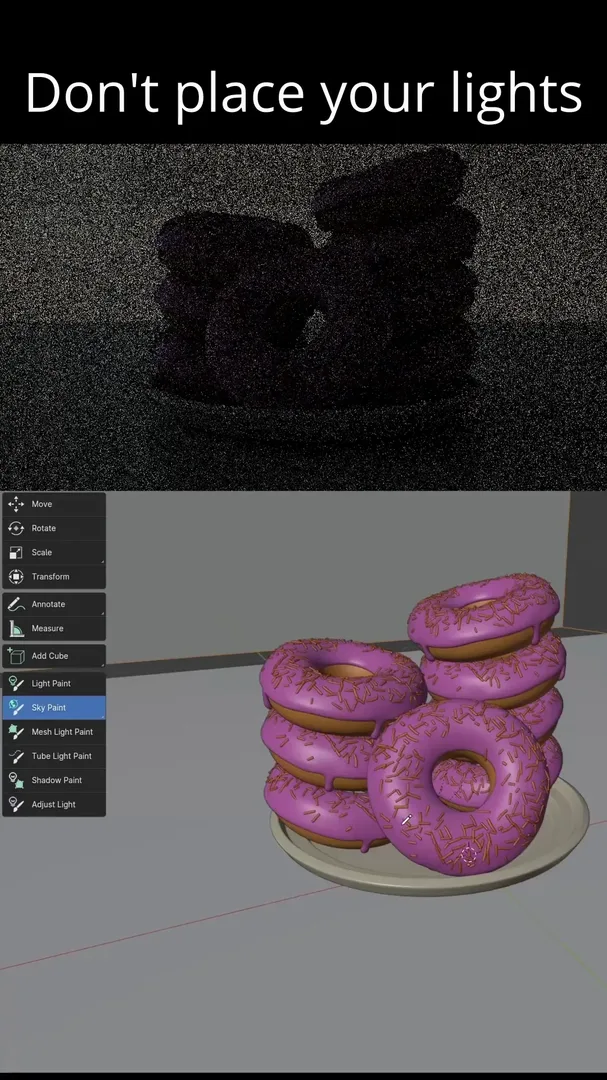
资源介绍
Do not place your lights, paint them
Compatibility: Blender 4.2.0+
官方介绍(中文整理)
不要把灯放好 刷漆
交互式地将灯光和阴影添加到您的场景中。 绘制您想要的灯光影响的位置, 灯光画家会添加灯光, 并为您设置灯光。
照明可能是在3D中理解的挣扎, 特别是当许多艺术家习惯于 2D 工作流程时。 这个附加程序管理 3D 空间的灯光, 而艺术家可以专注于主题上的光的“ 油漆 ”。
将灯光设计变成灯光的灯光设计, 而不是操纵灯光, 而是通过绘画它们的影响, 来显示它们如何出现在你的模型上。非常酷,非常创新!”
文件可在下列网址上查阅:项目.blender.org/SMAGnusson/ light-painter。
支助:
- 所有类型的灯灯对象
- 网状灯光,包括柔软壳和管灯灯光
- 天空纹理
- 为灯具物体投下阴影的旗帜
在模式工具内使用键盘快捷键调整灯的距离、功率和大小。
添加灯具基本程序色调节点装置的效用(仅管)。
查看官方原文摘要(English)
Interactively add lights and shadows to your scenes. Draw where you want the light to affect, and Light Painter adds and places the light for you.
Lighting can be a struggle to understand in 3D, especially when many artists are used to a 2D workflow. This add-on manages the lights in 3D space while artists can focus on the "painting" of light onto their subjects.
"[This] turns light design in Blender on its head: instead of manipulating the lights, you indicate how you want them to appear on your models by painting their influence. Very cool and innovative!" – BlenderNation
Documentation is available on the repo website: projects.blender.org/SMagnusson/light-painter
Supports:
- lamp objects of all types
- mesh lights, both convex hulls and tube lights
- sky textures
- flags to cast shadows for lamp objects
Adjust lamp distance, power, and size using keyboard shortcuts within the modal tools.
Utility to add basic procedural gobos node setup for lamps (Cycles only).
安装方法
- 打开 Blender「编辑 → 偏好设置 → 获取扩展(Get Extensions)」,搜索 Light Painter,可直接从官方库安装。
- 手动安装时,选择适合当前 Blender 版本与系统的 ZIP 包,在「获取扩展」右上角菜单选择「从磁盘安装(Install from Disk)」,选中 ZIP 文件,无需解压。
- 安装后,在偏好设置的「插件(Add-ons)」中确认已启用,并按作者说明使用。
下载安装包
请选择与你的 Blender 版本和操作系统相符的文件,下载由 Blender 官方扩展库提供。
正在加载安装包…
来源与许可
- 作者 / 维护者:SMagnusson
- 许可:SPDX:GPL-3.0-or-later
- 来源:Blender 官方扩展库


![[搬运]超级粘液资产合集-魔酷网](https://i.blender.kim/wp-content/uploads/2026/01/20260131142748712.png)


暂无评论内容