

资源介绍
Import object based on a directory of SVG cuts
Compatibility: Blender 4.2.0+
官方介绍(中文整理)
基于 SVG 切换目录的导入对象。
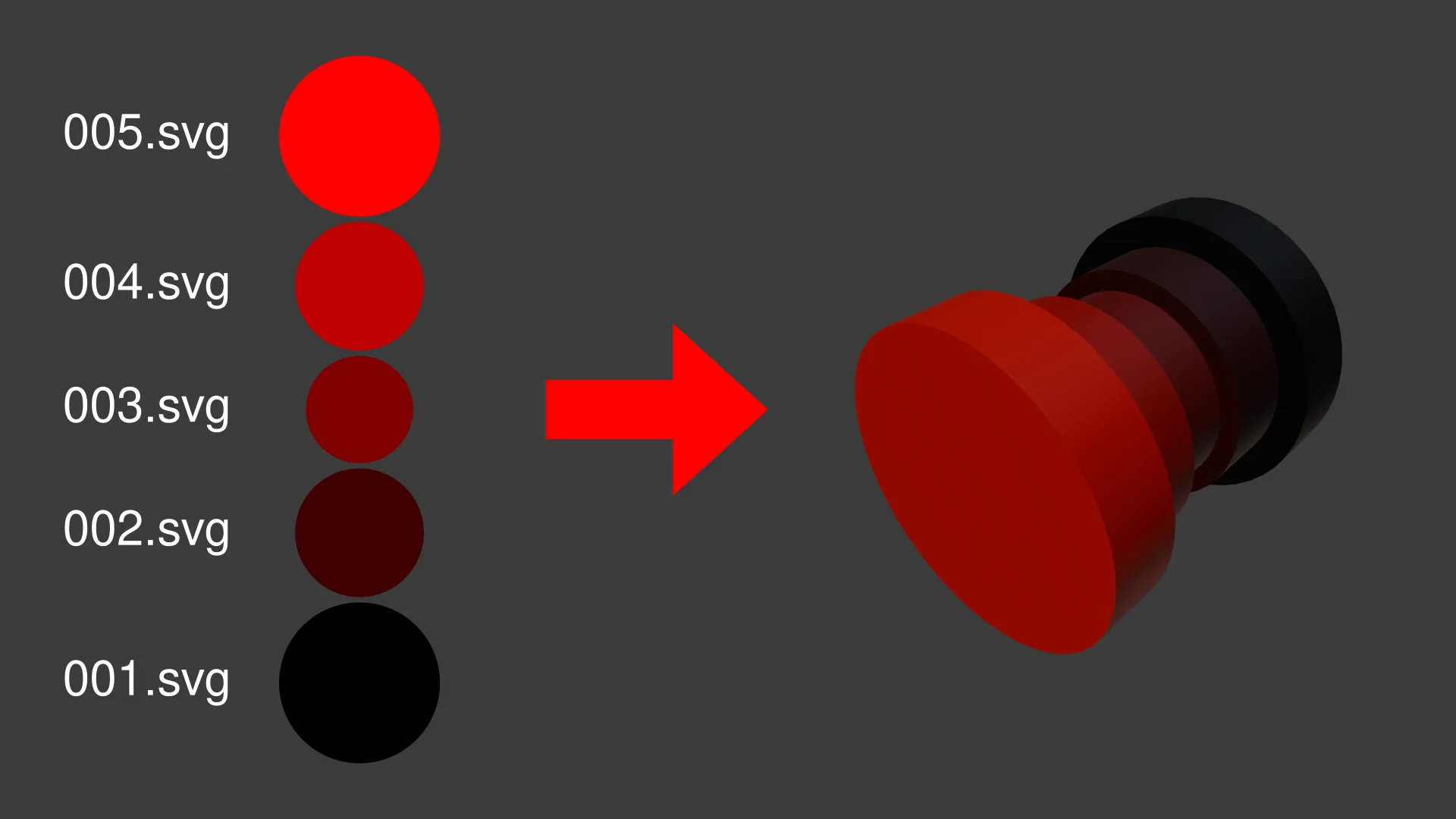
导入基于 SVG 切开目录的对象的扩展。 在导入 – > SVG Cuts 目录( *. svg) 下的文件菜单中添加一个新的导入选项。 此扩展随后导入该目录中的所有 svg , 并按距离和挤出选项进行挤出和组装。
剪切是根据文件名按字母顺序排序的。 因此, 我建议从文件名开始使用序列中剪切的编号。 您应该用零页键确保剪切正确排序。 I. e. 使用001- 999, 而不是1- 999。
Docs 支持
更多信息请访问 github README。 如果您遇到任何问题, 请在 Github 上打开一个问题。
查看官方原文摘要(English)
Extension to import an object based on a directory of SVG cuts. Adds a new import option in the file menu under Import -> SVG Cuts Directory (*.svg). The extension then imports all svgs in that directory and extrudes and assembles them based on the distance and extrusion options.
The cuts are ordered based on filename in alphabetical order. I thus recommend starting the filename with the number of the cut in the sequence. You should zero pad the number to ensure the cuts are sorted correctly. I.e. use 001-999 instead of 1-999.
Docs & Support
See the github README for additional information. If you encounter any issues, have some questions or feature requests please open a issue on github.
安装方法
- 打开 Blender「编辑 → 偏好设置 → 获取扩展(Get Extensions)」,搜索 Import SVG Cuts Directory,可直接从官方库安装。
- 手动安装时,选择适合当前 Blender 版本与系统的 ZIP 包,在「获取扩展」右上角菜单选择「从磁盘安装(Install from Disk)」,选中 ZIP 文件,无需解压。
- 安装后,在偏好设置的「插件(Add-ons)」中确认已启用,并按作者说明使用。
下载安装包
请选择与你的 Blender 版本和操作系统相符的文件,下载由 Blender 官方扩展库提供。
正在加载安装包…
来源与许可
- 作者 / 维护者:Benedikt-Schaber
- 许可:SPDX:GPL-3.0-or-later
- 来源:Blender 官方扩展库


![[搬运]超级粘液资产合集-魔酷网](https://i.blender.kim/wp-content/uploads/2026/01/20260131142748712.png)


暂无评论内容