

资源介绍
Extended pie menu for selecting Grease Pencil tools quickly
Compatibility: Blender 4.2.0+
官方介绍(中文整理)
快速选择 Grease Pencil 工具的扩展派菜单。
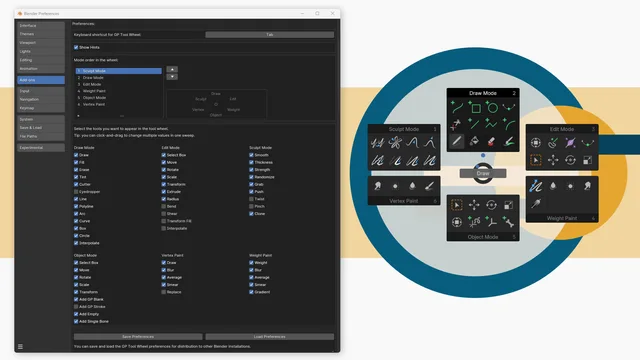
您是否使用Grease Pencil , 发现自己在模式和工具之间转换了很多? 然后 GP 工具轮可以加速您的工作流程: 它将模式和工具选择组合在一个美味的轮子中。
如何使用车轮-按 F8
默认情况下,您可以用快捷键 F8 调用工具车轮。您可以通过自定义车轮来轻松更改这个快捷键。
当有一个活跃的Grease Pencil 对象且光标位于 3D 视图port 某处时, 方向盘就会出现。 支持 Grease Pensil 版本 3 (Blender 4. 3 和以上)。
选择工具不需要解释:单击图标,您可以离开。
自定义您的车轮
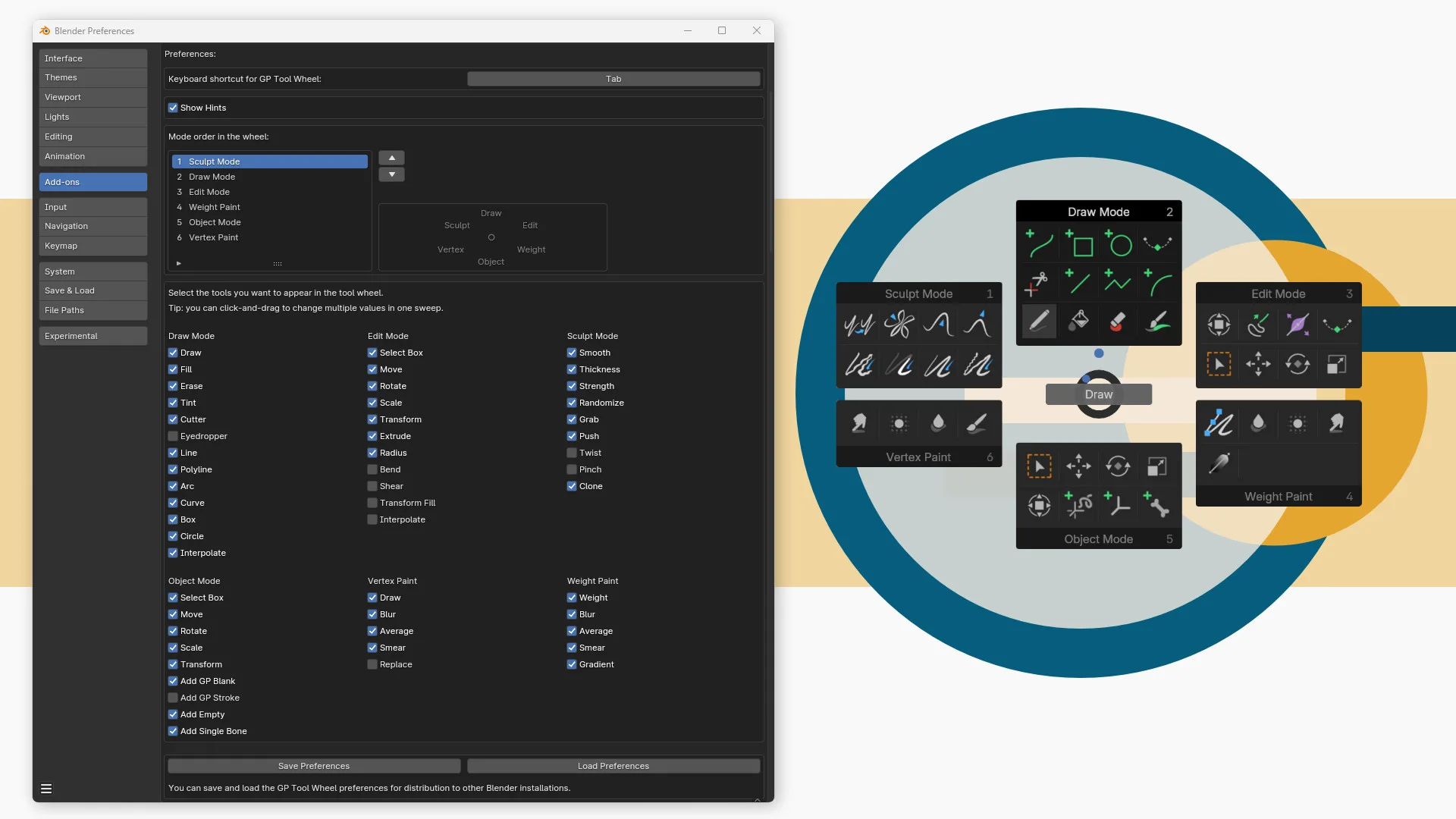
您可以在附加优惠中自定义方向盘。
跳到编辑 > operation… > > 扩展并查找 GP 工具轮。单击左侧的箭头。
您可以在这里绘制理想, 裁缝制的轮子。 或许您想要用“ 快速最爱” 菜单来修改它, 只有您经常使用的模式和工具。 或者指定 Tab 作为快捷键, 替换默认的派菜单。
在优惠中,您可以定义:
- 键盘快捷键来触发方向盘。
- 模式的顺序。
- 车轮上出现的工具
您可以保存和装入您的车轮首选项,以便分配给其他设备或Blender安装。
链接刷资产(新载于Blender 4.3)
Blender 4.3 船舶有新的冲刷资产架,有默认的刷子和定义自定义刷子的选择。 对于Grease Pencil, 刷子架活跃在绘图和雕刻模式中。 默认情况下, GP 工具轮使用与Blender 一起航行的“ 基本刷子资产 ”。
但您可以指定方向盘工具的自定义刷子。 右键单击刷子并选择 GP 工具轮中设置为工具…
在接下来的对话框中,在 GP 工具轮中选择工具并单击“确定”。
查看官方原文摘要(English)
Are you using Grease Pencil and find yourself switching a lot between modes and tools? Then GP Tool Wheel can speed up your workflow: it combines mode and tool selection in one delicious wheel.
How to use the wheel – press F8
By default you can invoke the tool wheel with the shortcut F8. You can change this shortcut easily by customizing your wheel.
The wheel appears when there is an active Grease Pencil object and the cursor is somewhere in the 3D viewport. Grease Pencil version 3 (in Blender 4.3 and higher) is supported.
Selecting a tool needs no explanation: click on an icon and you are good to go.
Customize your wheel
You can customize your wheel in the add-on preferences.
Go to Edit > Preferences… > Extensions and look for GP Tool Wheel. Click on the arrow on the left.
Here you can compose your ideal, tailor made wheel. Perhaps you want to change it in a kind of 'Quick favorites' menu, with only the modes and tools you often use. Or assign Tab as shortcut, replacing the default pie menu.
In the preferences, you can define:
- The keyboard shortcut to invoke the wheel.
- The order of the modes.
- The tools that appear in the wheel.
You can save and load your wheel preferences for distribution to other devices or Blender installs.
Link brush assets (new in Blender 4.3)
Blender 4.3 ships with the new Brush Asset Shelf, with default brushes and the option to define custom brushes yourself. For Grease Pencil, the Brush Shelf is active in Draw and Sculpt Mode. By default, GP Tool Wheel uses the Essential brush assets that ship with Blender.
But you can assign a custom brush to a tool in the wheel. Right-click on the brush and choose Set as Tool in GP Tool Wheel…
In the dialog that follows, select the tool in the GP Tool Wheel and click OK.
安装方法
- 打开 Blender「编辑 → 偏好设置 → 获取扩展(Get Extensions)」,搜索 GP Tool Wheel,可直接从官方库安装。
- 手动安装时,选择适合当前 Blender 版本与系统的 ZIP 包,在「获取扩展」右上角菜单选择「从磁盘安装(Install from Disk)」,选中 ZIP 文件,无需解压。
- 安装后,在偏好设置的「插件(Add-ons)」中确认已启用,并按作者说明使用。
下载安装包
请选择与你的 Blender 版本和操作系统相符的文件,下载由 Blender 官方扩展库提供。
正在加载安装包…
来源与许可
- 作者 / 维护者:SietseB
- 许可:SPDX:GPL-3.0-or-later
- 来源:Blender 官方扩展库


暂无评论内容