


资源介绍
Shortcut to delete a line and copy its content
Compatibility: Blender 4.2.0+
官方介绍(中文整理)
删除行并复制其内容的快捷键。
删除行
添加缺少的快捷键, 用于删除行为与 VS 代码相似的行。 这样您就可以在之后粘贴它。
简介
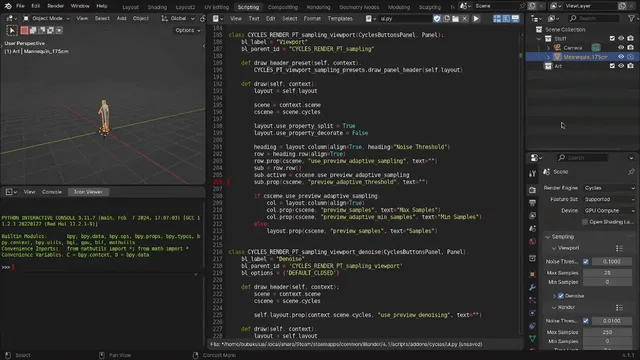
添加一个小添加点, 以添加删除文本编辑器中当前行的 funcional。 它同时也将内容切入剪贴板。 这意味着您可以将删除的行粘贴到任何您想要的地方。
您不需要选择任何文件。只需在文本编辑器中按 CTRL + SHIFT + 后退 SPACE 键即可。快捷键可以在首选项中更改。
如何运作?
快捷键随后可以在“ Blenders 设置” 中编辑 : “ 编辑 > option > 键位映射 > Text > Text Global > 删除行。 ” 它的工作方式主要是使用在函数中构建的 Blends :
在当前行中添加新行字符。
选择整个行。
剪切选中的内容。
删除剩余新行字符。
视频:Youtube上的视频展示。
查看官方原文摘要(English)
Delete line
Adds missing shortcut for deleting the line which behaves just like in the VS Code. So you can paste it afterwards.
Description
A small addon that adds the funcionality of deleting the current line in the text editor. And it is also cuting the content into the clipboard. This means you can then paste the deleted line wherever you want.
You do not need to select anything. Just press CTRL + SHIFT + BACKSPACE while in the text editor on some line. The shortcut can be changed in the preferences.
How it works?
The shortcut is then editable in the Blenders settings: "Edit > Preferences > Keymap > Text > Text global > Delete line". The way it works is mostly using Blenders built in functions:
Adding newline character to the current line.
Selecting the whole line.
Cutting the selected content.
Deleting the remaining newline character.
Video: Video showcase on youtube.
安装方法
- 打开 Blender「编辑 → 偏好设置 → 获取扩展(Get Extensions)」,搜索 Delete Line Shortcut,可直接从官方库安装。
- 手动安装时,选择适合当前 Blender 版本与系统的 ZIP 包,在「获取扩展」右上角菜单选择「从磁盘安装(Install from Disk)」,选中 ZIP 文件,无需解压。
- 安装后,在偏好设置的「插件(Add-ons)」中确认已启用,并按作者说明使用。
下载安装包
请选择与你的 Blender 版本和操作系统相符的文件,下载由 Blender 官方扩展库提供。
正在加载安装包…
来源与许可
- 作者 / 维护者:matej.zeman02
- 许可:SPDX:GPL-3.0-or-later
- 来源:Blender 官方扩展库


暂无评论内容