


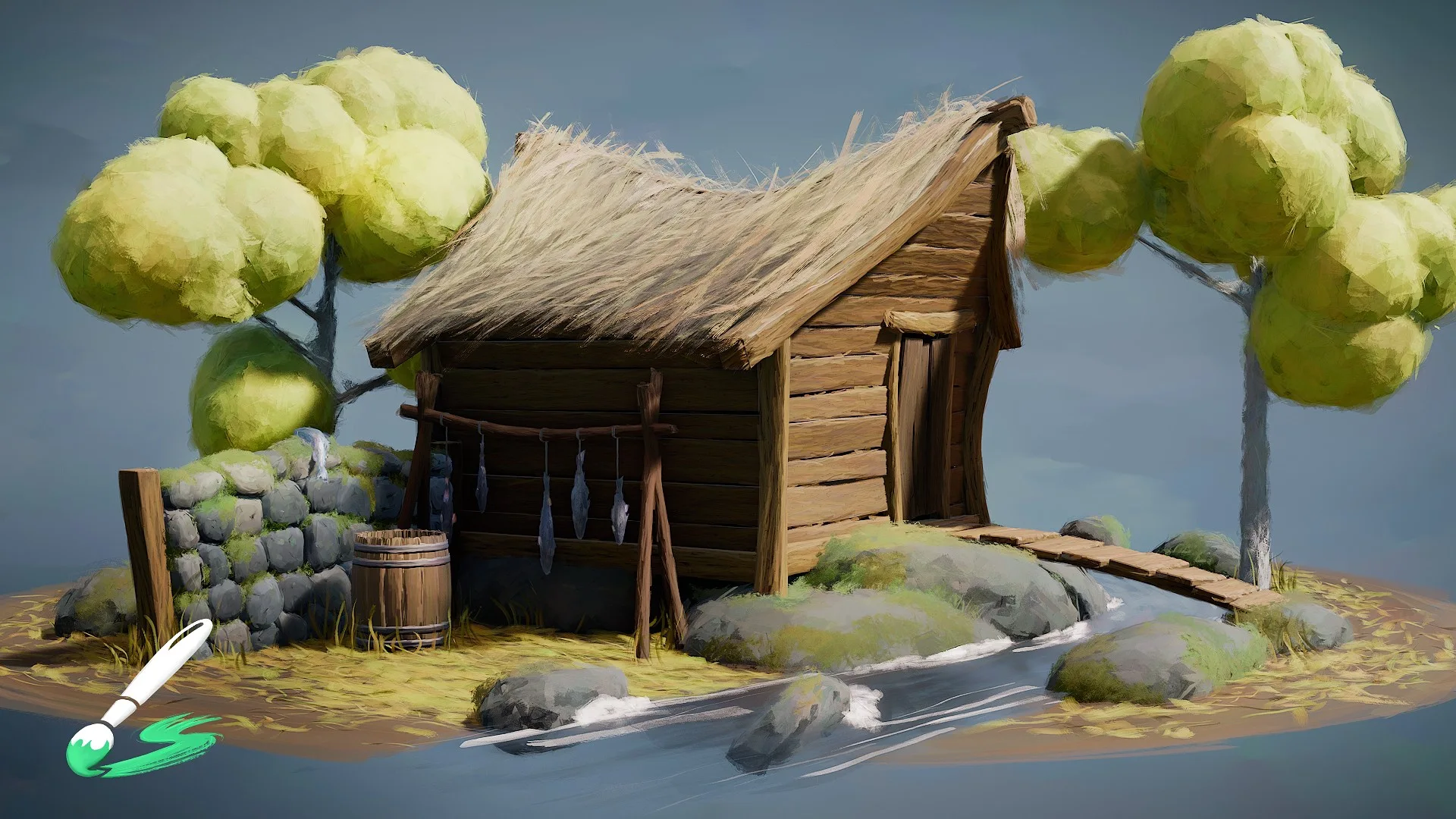
资源介绍
Brushstroke painting tools by the Blender Studio
Compatibility: Blender 4.2.0+
官方介绍(中文整理)
Blender演播室的刷刷画工具
Blender演播室为画家3D刷刷工作流程提供一套工具,以创造各种资产生产模式化的外观。
看这里的介绍视频!
概览概览概览概览
此添加点提供了一个方便的界面, 用于创建、 管理和编辑3D 刷字层, 这些刷字层是用复杂的几何节点系统按程序生成的。
笔记层有两种类型:
填充
带刷子的网状表面被淹没, 并用添加界面的“ Shape” 面板上的广泛参数来控制它们。 这种类型的刷子层可以通过图画曲线来引导流向或网状部分的标记, 以定义流/ 断层边缘和面, 使用快捷键 Ctrl+Alt+F 忽略。
绘图
直接在表面网格上绘制笔画作为曲线几何。工具栏中有一些设置,您在绘制以控制,例如,颜色。除此之外,您还可以在添加界面的“ shape” 面板上应用额外的程序效果。
材料材料
刷刷层的材料也可以使用配方界面加以控制。
- 属性( 用于控制材料质量的基于 PBR 设置)
- 笔刷样式(通过真实生命扫描对基本纹理进行选择和控制)
- 效果(调整纹理的额外遮盖效果)
更多信息
- 观看导游讲习班,下载渔场范例文件
- 在此查找更广泛的文件
考虑支持我们的工作,通过加入Blender工作室,获得与Blender公司生产有关的各种有用资源
查看官方原文摘要(English)
Set of tools for a painterly 3D brushstrokes workflow by the Blender Studio to create a variety of stylized looks for asset production.
Watch the introduction video here!
Overview
This addon provides a convenient interface to create, manage and edit layers of 3D brushstrokes that are generated procedurally with an elaborate Geometry Nodes system.
There are two types of Brushstroke Layers:
Fill
Flood a mesh surface with brushstrokes and control them with a wide set of parameters in the 'Shape' panel of the addon interface. This type of brushstroke layer can be guided by drawing curves for the flow direction or marking parts of the mesh to define flow/break edges and faces to be ignored using the shortcut Ctrl+Alt+F.
Draw
Draw brushstrokes as curve geometry directly on a surface mesh. There are settings in the toolbar as you draw to control, for example, the color. On top of that you can apply additional procedural effects in the 'Shape' panel of the addon interface.
Material
The material of a brushstroke layer can also be controlled using the addon interface. Material settings are split into
- Properties (Base PBR setup to control material quality)
- Brush Style (Selection and control of the base texture from real-life scans)
- Effects (Additional masking effects to adjust the texture)
More Info
- Watch the guided workshop and download the fishing hut example file
- Find more extensive documentation here
Consider supporting our work and get all kinds of useful resources regarding production with Blender by subscribing to the Blender Studio
安装方法
- 打开 Blender「编辑 → 偏好设置 → 获取扩展(Get Extensions)」,搜索 Brushstroke Tools,可直接从官方库安装。
- 手动安装时,选择适合当前 Blender 版本与系统的 ZIP 包,在「获取扩展」右上角菜单选择「从磁盘安装(Install from Disk)」,选中 ZIP 文件,无需解压。
- 安装后,在偏好设置的「插件(Add-ons)」中确认已启用,并按作者说明使用。
下载安装包
请选择与你的 Blender 版本和操作系统相符的文件,下载由 Blender 官方扩展库提供。
正在加载安装包…
来源与许可
- 作者 / 维护者:Blender Studio
- 许可:SPDX:GPL-3.0-or-later
- 来源:Blender 官方扩展库


暂无评论内容