

资源介绍
A native Building Information Model authoring platform using IFC
Compatibility: Blender 4.2.0–5.1.0
官方介绍(中文整理)
利用国际金融公司创建的本土建筑信息模型撰写平台。
注:Bonsai以前称为BlenderBIMAddon。
更喜欢看录像吗?
BIM世界简介
建筑信息建模,即BIM,是一种将我们建筑的环境数字描述为计算机的一种方式。
- 产品,如墙、门、窗
- 流程,如建筑或维修或维修任务及程序
- 劳动力、材料和设备等资源
- 控制,如许可证、命令、费用或日历可用性
- 行为者,如占有者、客户、建筑师和责任方
- 集团,如系统、库存或区域
这些物体可能有许多数据和关系,例如分类系统、物理材料、相关文件、模拟结果和构造类型。这些数据可能与建筑、工程和建筑等多个学科有关。
BIM 数据与常规的 3D 模型有很大不同。 事实上,几何是可选的,而大多数数据都是非几何数据。 这意味着您可以导入或导出3D 格式,并期望获得有意义的结果。
工业基础类,即国际金融公司,是BIM的国际标准。国际金融公司是我们建筑环境中最成熟的开放数字语言。大多数软件都能够用国际金融公司描述其BIM数据。最常见的是,国际金融公司模型将作为.ifc文件共享。
例如,国际金融公司将把墙定义为可以具有名称、建筑类型和数量的对象,国际金融公司还将描述与地点有关的墙,如建筑物仓库,或在时间线中包含相关费用项目。
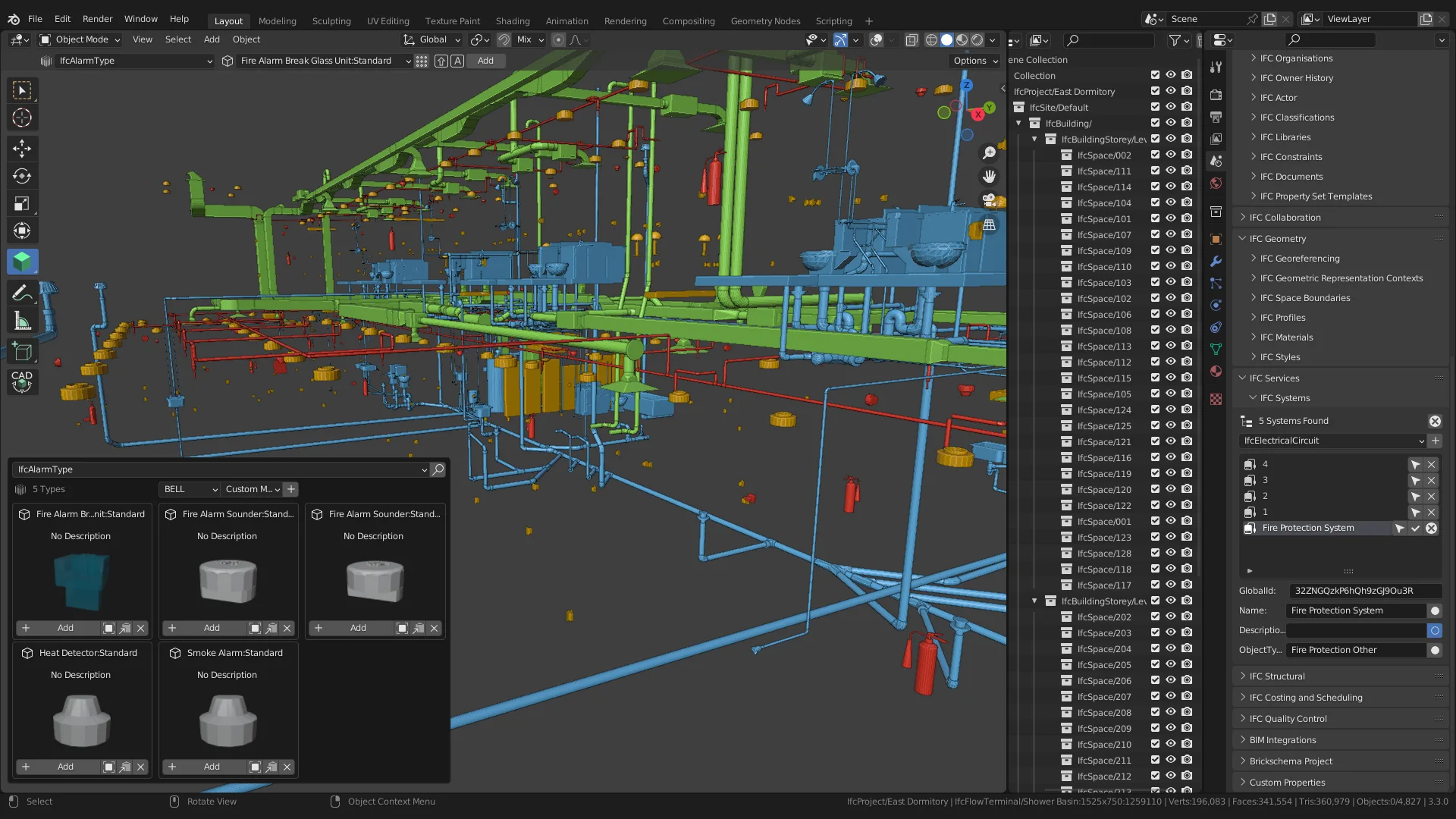
当您使用 Bonsai 时, 您可以使用 ICF 标准查看并创建 BIM 对象和关系。
附加能力
Bonsai设计成一个全面、真正本地的 BIM 作者平台。 它的能力包括许多任务和工作流程,一般来自 BIM 和 CAD 软件、成本计算程序、排期工具和模拟应用。 虽然并非详尽无遗的列表,但您可以用Bonsai 做的一些关键工作包括:
- 查看和探索国际金融公司的模型,包括空间、属性和关系
查看官方原文摘要(English)
Note: Bonsai was previously known as the BlenderBIM Add-on.
Prefer watching videos? See a 20 minute demonstration of Bonsai here: https://www.youtube.com/watch?v=Ooh05WF__80
An introduction to the world of BIM
Building Information Modeling, or BIM, is a way of digitally describing our built environment to computers. Aspects of our built environment that can be described are:
- Products, like walls, doors, and windows
- Processes, like construction or maintenance tasks, and procedures
- Resources, like labour, materials, and equipment
- Controls, like permits, orders, costs, or calendar availability
- Actors, like occupants, clients, architects, and liable parties
- Groups, like systems, inventories, or zones
These objects may have lots of data and relationships. Examples of data might be classification systems, physical materials, associated documents, simulation results, and construction types. The data may be relevant to multiple disciplines, such as architecture, engineering, and construction.
BIM data is very different from a regular 3D model. In fact, geometry is optional, and most data is non-geometric. This means that it is not simply a 3D format that you can import or export from and expect meaningful results.
Industry Foundation Classes, or IFC, is an international standard for BIM. IFC is the most well-established open digital language for our built environment. Most software will be able to describe their BIM data using IFC. Most commonly, IFC models will be shared as a .ifc file.
For example, IFC will define a wall as an object that can have a name, construction type, and quantities. IFC will also describe that a wall that be associated with a location, like a building storey, or have an associated cost item in a schedule.
When you use Bonsai, you will be able to view and create BIM objects and relationships using the IFC standard.
Add-on capabilities
Bonsai is designed to be a comprehensive and truly native BIM authoring platform. Its capabilities include a wide range of tasks and workflows typically found across various BIM and CAD software, costing programs, scheduling tools, and simulation applications. While not an exhaustive list, some of the key things you can do with Bonsai include:
- View and explore IFC models, including spaces, properties, and relationships
安装方法
- 打开 Blender「编辑 → 偏好设置 → 获取扩展(Get Extensions)」,搜索 Bonsai,可直接从官方库安装。
- 手动安装时,选择适合当前 Blender 版本与系统的 ZIP 包,在「获取扩展」右上角菜单选择「从磁盘安装(Install from Disk)」,选中 ZIP 文件,无需解压。
- 安装后,在偏好设置的「插件(Add-ons)」中确认已启用,并按作者说明使用。
下载安装包
请选择与你的 Blender 版本和操作系统相符的文件,下载由 Blender 官方扩展库提供。
正在加载安装包…
来源与许可
- 作者 / 维护者:IfcOpenShell
- 许可:SPDX:GPL-3.0-or-later
- 来源:Blender 官方扩展库


暂无评论内容