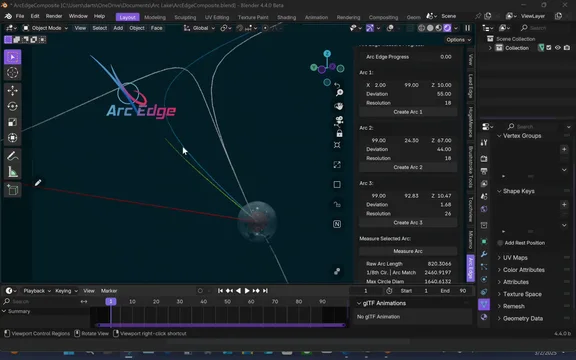


资源介绍
Arc Edge
Compatibility: Blender 5.0.1+
官方介绍(中文整理)
弧边缘。
创建和测量有限弧以帮助科学研究以及Blender的默认几何物体。
贡献:https://dartmeadow.gumroad.com/
贡献:https://dart-meadow-shop.fourthwall.com/
我们想向Blender社区开放, 寻求电脑图象和硬件方面的援助。
com: dartmeadow.com 上
弧边缘测量限制弧。 两种弧有三种是对称的, 无论你如何在中间将其分隔, 两者在两侧仍然均匀。 这两个是圆圈和省略号, 两者之外的任何部分都是有限的, 换句话说, 混乱理论, 因此, 限定弧是弧边缘在测量中的特殊性, 从弧的开始到弧的结束的距离。 因为测量系统是对称的, 否则我们甚至不知道如何开始测量某个东西, 你如何将一个对称系统应用到一个有限的系统中? 显而易见的是,如果弧线是有限的, 开始是有限的, 那么显然第一个圆圈太小, 无法与任何曲线相匹配, 虽然圆圈是完美的, 但它也是有限的。 当第1个圆圈太大, 无法匹配弧的终点, 无法适应曲线的任何部分时, 也是有限的, 所以在这两个循环之间, 我们发现弧的对称半径或弧开始曲线的位置, 然后立即从这个位置弯曲, 以完成弧的终点 将会有一个圆环环, 与两半的对称相匹配, 但是它是半的一部份 因此我们有一个对称的有限系统 来测量一个有限的弧
这只适用于数字和未定义的单位, 在现实世界中, 诸如量度或预定义的水量数量, 如五加仑等, 被定义的量或预定义的量的水量, 当在水中有一个觉醒时, 我们知道它会是有限的, 我们有一个对称的限量系统 来测量这个有限的流体动态, 基于我们想要返回的量度类型, 不管是速度、 量量、 压力等等… 将弧边缘工具排入这些系统, 我们刚刚预设了我们想要测量的度量, 然后我们开始模拟( 在Blender里, 您现在必须重复 度量弧 函数 , 才能得到更新的测量 )。 此工具用于帮助科学分析。 该工具可以测量在选择 Blender 时默认的其他几何对象。
在此可以获取用于实验的弧边缘.blend 文件( 您的下载将开始): https://github.com/dartsolarpunk/Arc-Meadow/raw/refs/heads/main/ArcEdge.blend
关键目标在这里,有很多工具, 当然还有所有的Blender默认工具 都可以做所有这些相同的事物 但好处在这里, 这不仅仅是在手动层面, 这不只是在手动层面上, 而是你可以转过身,测量这些有限的弧和流体动态, 然后用这些数据喂养其他所有的东西, 这就是这里的目的, 是一个小小的三角测量法或布林恩的差别, 你想要什么, 所以在你设置了某种东西之后 up or something that you've already made you can find the difference in that then create a measurement out of it for real world use and simulation feedback.
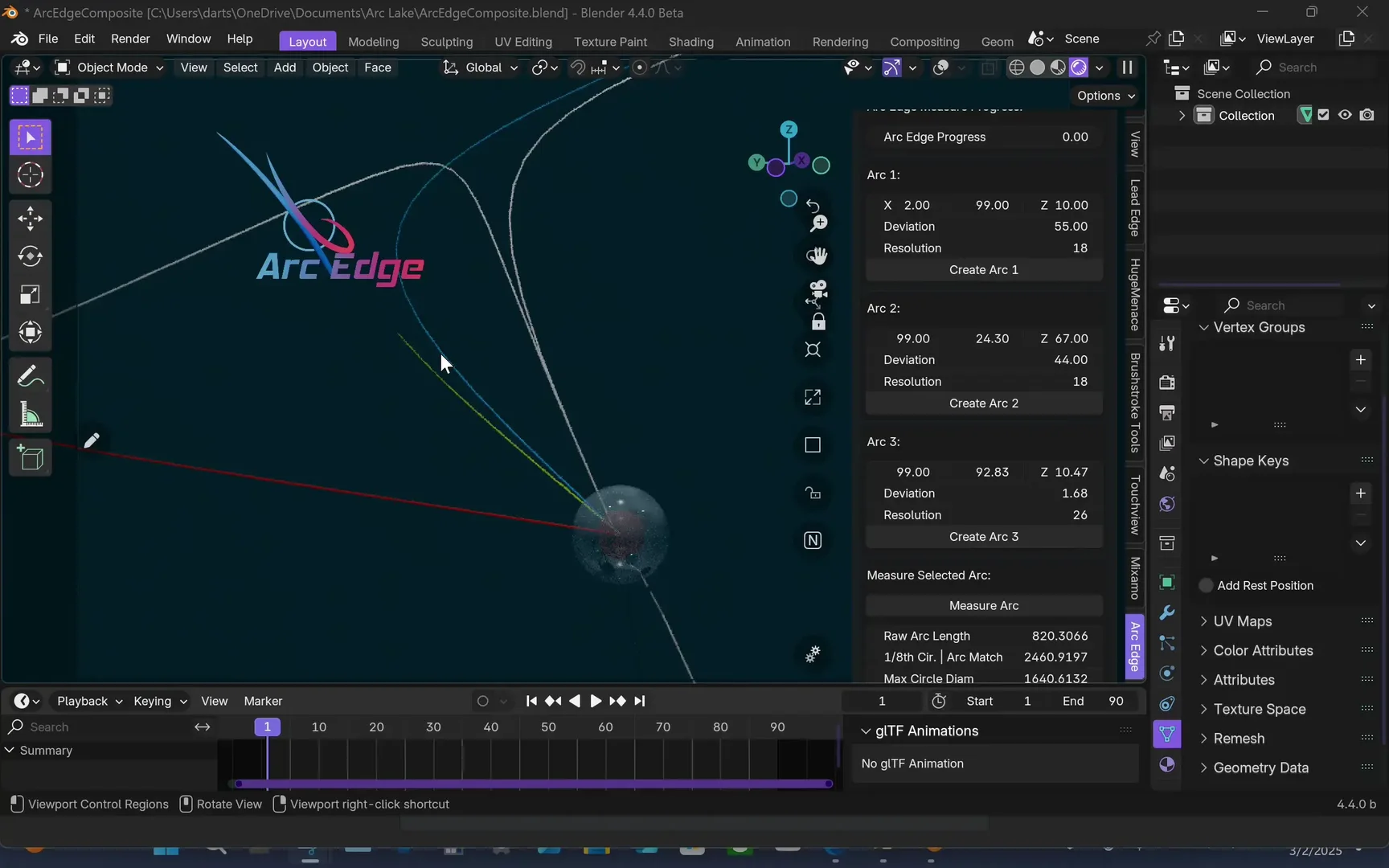
1/8 圆弧Arc Match 是大小圆的环形, 与有限弧的对称点相匹配, 它首先开始向起始点弯曲或折叠。 Max Circle Diater 是第一个大到无法在弧内和Blender内有任何曲度触碰的圆形, 默认情况下最小的圆形显然为零。 更进一步,如果你必须测量一个精致弧内每个原子原子的原子核核心矢量,你就必须在信息中输入最基本的比例,使一个有限的弧形成或流体动态,然后用它来测量。
使用此工具时必须时刻记住, 在所有的模拟和流体动态(CFD)工具中, 这是“计量工具 ”。
其本地应用中弧边缘的其他能力,Arc湖,可以在这里研究:https://radicaldeepscale.com/arclake.html
捐给Arc Lake项目:https://dartmeadow.gumroad.com/coffee
联系支持: justin@dartmeadow.com
官方核心引擎逻辑站点:https://radicaldeepscale.com/arcedge.html
查看官方原文摘要(English)
Create and Measure Finite Arcs to aid in Scientific Research as well as Blender's default geometry objects.
Contribute: https://dartmeadow.gumroad.com/
Contribute: https://dart-meadow-shop.fourthwall.com/
Extended features are planned but this is only a side product of our main project at Radical Deepscale called "Arc Lake" that we wanted to open up to the community of Blender for aid in computer graphics and hardware.
more at: dartmeadow.com
Arc Edge measures finite Arcs. There are three types of arcs two are symmetrical which no matter which way you divide them in the middle they still are equally proportional on either side those two are circles and ellipses, anything outside of these two is finite, in other words chaos theory, so finite arcs is what arc edge specializes in measuring, the distance from the start of the arc to the end of the arc. Since measuring systems are symmetrical, otherwise we wouldn't even know how to begin to measure something, how would you apply a symmetrical system to a finite system?, well the obvious is if the arc is finite to begin with then obviously the first circle that's too small to match any of the curvature is finite too although the circle is perfect. With the 1st circle that's too big to match the end of the arc to fit on any portion of the curve is also finite so in between these two we iterate and we find the symmetrical half of the arc or the where the arc starts to curve and then immediately curve away from this position to finish going to the end of the arc there will be a circle circumference that matches this symmetry on either half but it's a portion of the circumference that matches and that is an 8th therefore we have a symmetrical finite system to measure a finite arc.
This only applies to numbers and undefined units, in the real world where things are defined such as metrics or a predefined amount of volume of water such as five gallons then when there's a wake in this water we know it's going to be finite, we have a symmetrical finite system to measure this finite fluid dynamic based on the type of metric that we want back whether it be velocity, metric volume, pressure etc… So applying the Arc Edge tool to these systems we just preset the metric we want to measure by then we begin the simulation (within blender you currently have to repeat the Measure Arc function to get updated measures). This tool is to aid in Scientific Analysis. The tool does measure other Geometry objects that come default with Blender if select them.
The Arc Edge blend file for experimenting can be obtained here (Your download will start): https://github.com/dartsolarpunk/Arc-Meadow/raw/refs/heads/main/ArcEdge.blend
The key goal here, there's many tools and of course all of blender's default tools can do all these same things but what the benefit is here, this doesn't just make it at a manual level but you can turn around and measure these finite arcs and fluid dynamics then use that data to feed everything else, that's the goal here, it's a little trigonometry or a Boolean in difference that you want, so after you set something up or something that you've already made you can find the difference in that then create a measurement out of it for real world use and simulation feedback.
1/8th Circle Arc Match is the Circumference of the size circle that matches the symmetrical point on the finite arc where it first begins to curve or fold back towards where it began. Max Circle Diameter is the first circle that is too large to have any of its curvature touch within the Arc and within blender the smallest circle will obviously be zero by default. Further if you have to measure the atomic nucleus center vector of every atom within a Finite Arc you would have to feed in the information of the most elementary proportionals that cause a finite arc to form or fluid dynamic then measure by that.
You must keep in mind at all times while using this tool, that among all the simulation and fluid dynamic (CFD) tools out there, this one is a "Measurement tool".
Other capabilities of Arc Edge in it's native application, Arc Lake, can be studied here: https://radicaldeepscale.com/arclake.html
Donate to the Arc Lake project: https://dartmeadow.gumroad.com/coffee
Contact Support: justin@dartmeadow.com
Official Core Engine Logic Site: https://radicaldeepscale.com/arcedge.html
安装方法
- 打开 Blender「编辑 → 偏好设置 → 获取扩展(Get Extensions)」,搜索 Arc Edge,可直接从官方库安装。
- 手动安装时,选择适合当前 Blender 版本与系统的 ZIP 包,在「获取扩展」右上角菜单选择「从磁盘安装(Install from Disk)」,选中 ZIP 文件,无需解压。
- 安装后,在偏好设置的「插件(Add-ons)」中确认已启用,并按作者说明使用。
下载安装包
请选择与你的 Blender 版本和操作系统相符的文件,下载由 Blender 官方扩展库提供。
正在加载安装包…
来源与许可
- 作者 / 维护者:dartmeadow
- 许可:SPDX:GPL-3.0-or-later
- 来源:Blender 官方扩展库


暂无评论内容