

资源介绍
This is a addon to build partybots maps
Compatibility: Blender 4.2.0+
官方介绍(中文整理)
这是制作派对机器人地图的附加词。
这个项目已经停止了 因为比赛现在有一个 高级编辑参与它。
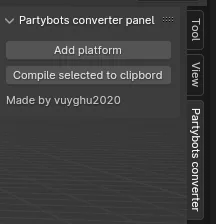
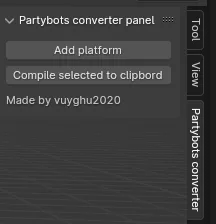
这是一个添加点, 允许您在 Blender 中构建您的派对机器人地图。 政党机器人是一个蒸汽游戏, 让你玩游戏游戏。 要用此插件在党博上创建地图, 您需要点击制表板党博转换器, 并按下添加平台和对话框以填入 peramiter。 完成创建您的地图时, 您可以选择您想要转换的所有部件, 并单击已标记到剪贴板的《 汇编》。 这将触发您将其粘贴到 C:\ Users\USER\ AppData\ Low\ 本地游戏模式文件 党党 党 党,党 党。 党。 当您在文件中粘贴已编译的文件时, 请确定它是在 [ 触发] 之后
查看官方原文摘要(English)
THIS PROJECT HAS BEEN DISCONTINUED BECAUSE THE GAME NOW HAS A LEVEL EDITOR BUILT INTO IT.
This is an addon that allows you to build your partybots maps in Blender. Partybots is a game on steam that lets you play create games. To create a map in partybots with this plugin you need to click on the tab partybots converter and then press add platform and a dialog box to fill in the peramiters is the defult expt size when you finish creating your map you can select all the parts you want to convert and click Compile marked to clipboard which will give you triggers to paste them into the game mode file located in C:\Users\USER\AppData\LocalLow\Party Bots\Party Bots\GameModes. When you paste the compiled into the file make sure it is after [triggers]
安装方法
- 打开 Blender「编辑 → 偏好设置 → 获取扩展(Get Extensions)」,搜索 Partybots converter,可直接从官方库安装。
- 手动安装时,选择适合当前 Blender 版本与系统的 ZIP 包,在「获取扩展」右上角菜单选择「从磁盘安装(Install from Disk)」,选中 ZIP 文件,无需解压。
- 安装后,在偏好设置的「插件(Add-ons)」中确认已启用,并按作者说明使用。
下载安装包
请选择与你的 Blender 版本和操作系统相符的文件,下载由 Blender 官方扩展库提供。
正在加载安装包…
来源与许可
- 作者 / 维护者:vuyghu2020
- 许可:SPDX:GPL-3.0-or-later
- 来源:Blender 官方扩展库


暂无评论内容