

Blender 官方扩展库收录Blender 插件
资源介绍
Use your Microphone as an Animation Driver in Blender
Compatibility: Blender 5.0.0+
官方介绍(中文整理)
使用您的麦克风作为 Blender 的动画驱动器。
微声音频驱动器
版本:0.1.3 作者: F1dg3t
描述
麦克风音频驱动器插头允许您使用麦克风输入实时驱动任何钻机财产(如骨轮、形状键值或定制属性)。
完美于 :
- 活动动动动画
- 语音驱动面部钻机
- 视听表演
- 场景实时反馈
如何使用
1. 访问Addon面板
- 在 3D 视图port, 打开侧边栏( N 密钥)
- 切换到 MAD 选项卡
2. 配置您的设置
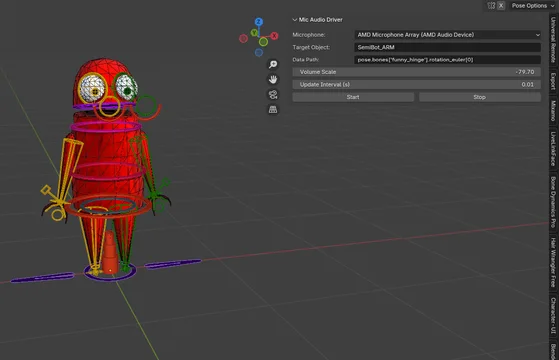
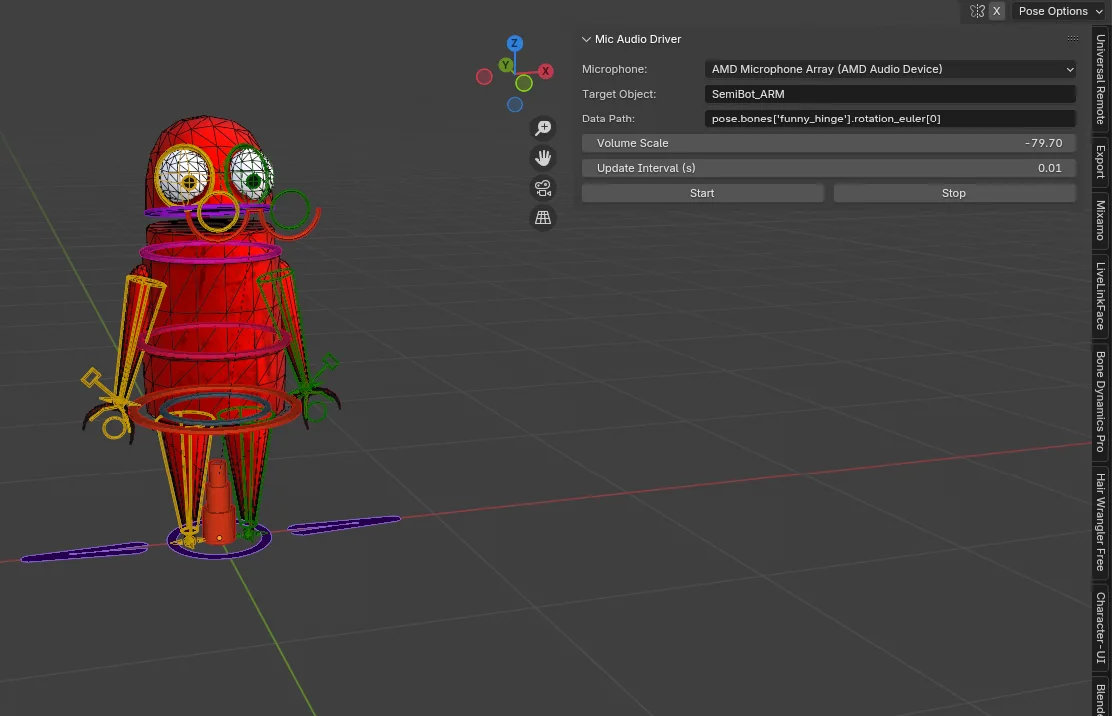
- 麦克风:选择你的麦克风(例如蓝球、麦克风阵列等)
- 目标对象:使用取水器使用驱动属性选择对象
- 数据路径: 输入属性路径, 例如 :
旋转_ 优勒 [0]
查看官方原文摘要(English)
🎙️ Microphone Audio Driver
Version: 0.1.3 Author: F1dg3t
📌 Description
The Microphone Audio Driver addon allows you to drive any rig property (such as bone rotation, shape key values, or custom properties) in real-time using microphone input.
Perfect for:
- Reactive animations
- Voice-driven facial rigs
- Audio-visual performances
- Real-time feedback in scenes
⚙️ How to Use
1. Access the Addon Panel
- In the 3D Viewport, open the Sidebar (N key)
- Switch to the MAD tab
2. Configure Your Setup
- Microphone: Select your microphone (e.g., BlueSnoball, MicrophoneArray, etc.)
- Target Object: Use the eyedropper to choose the object with the driven property
- Data Path: Enter the property path, such as:
pose.bones["funny_hinge"].rotation_euler[0]
安装方法
- 打开 Blender「编辑 → 偏好设置 → 获取扩展(Get Extensions)」,搜索 MAD (Microphone Audio Driver),可直接从官方库安装。
- 手动安装时,选择适合当前 Blender 版本与系统的 ZIP 包,在「获取扩展」右上角菜单选择「从磁盘安装(Install from Disk)」,选中 ZIP 文件,无需解压。
- 安装后,在偏好设置的「插件(Add-ons)」中确认已启用,并按作者说明使用。
下载安装包
请选择与你的 Blender 版本和操作系统相符的文件,下载由 Blender 官方扩展库提供。
正在加载安装包…
来源与许可
- 作者 / 维护者:F1dg3t
- 许可:SPDX:GPL-3.0-or-later
- 来源:Blender 官方扩展库
© 版权声明
本站除原创作品外的资源均收集于网络,只做学习和交流使用,版权归原作者所有,请在下载后24小时之内自觉删除。若作商业用途,请购买正版。
THE END


![[搬运]超级粘液资产合集-魔酷网](https://i.blender.kim/wp-content/uploads/2026/01/20260131142748712.png)


暂无评论内容