


资源介绍
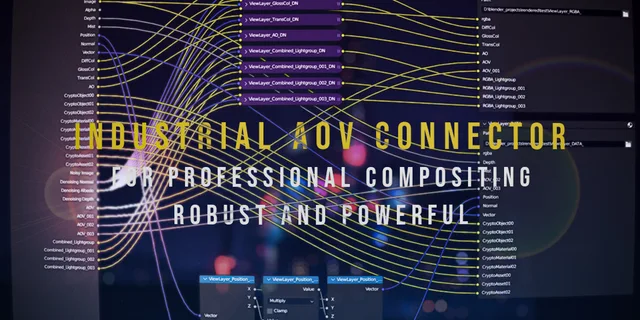
Auto generate outputs for advanced compositing
Compatibility: Blender 4.2.0+
官方介绍(中文整理)
自动生成高级组合的输出。
与我的工业 CG 平台( 定制Blender分支) 一起使用适当的光材料 Aovs 和本地深层Exr! https://github.com/RolandVyens/industrial-cg-platform
插件面板位置: 属性面板% View 图层
单词 : 可供公开使用的最佳 AOV 输出工具。 持续涉及。 支持基于 anovs 和 基于 光组的 aovs 的材料也可以混合使用。 从零开始支持多个查看器。 此插件可以自动为您设定输出节点, 智能地根据输出类型创建 denois 节点, 把位置/ 正常/ 矢量通过转换为核武器标准通行证( 聚/ ae 也可以在理论上使用 )。 在2.1版之后,插件可以输出高射速反熔化的z和p频道以及假的深频道。
Github 详细介绍和更新日志
· 提供和提供文件资料,[2000-2004-2004年/2004年 /2004/2004年//2004文件文件文件/[2004-2004/2004/ ““文件“`提供“` “文件'“`/“`文献“`'“文件的“`[“`.“`-“`的“文件,“`
与工业轻型AOV分裂器和核武器脚本合作
查看官方原文摘要(English)
Use with my Industrial CG Platform (custom blender branch) for proper light material aovs and native deep exr! https://github.com/RolandVyens/industrial-cg-platform
Plugin panel location: Properties Panel→View Layer
In a word: The best AOV output tool that publicly available. Continuously envolving. Supports material based aovs and light group based aovs, also can do hybrid. Supports multiple Viewlayers from scratch. This plugin can make output nodes automatically for you, intelligently make denoise nodes based on the outputs' type, convert position/normal/vector pass to nuke standard passes (fusion/ae can also use in theory). After version 2.1, the plugin can output hi-res anti-aliased z and p channel, and a fake deep channel.
Detailed introduction and update log on Github
Documentation 文档
Co-work with Industrial Light AOV Splitter and nuke script
安装方法
- 打开 Blender「编辑 → 偏好设置 → 获取扩展(Get Extensions)」,搜索 Industrial AOV Connector,可直接从官方库安装。
- 手动安装时,选择适合当前 Blender 版本与系统的 ZIP 包,在「获取扩展」右上角菜单选择「从磁盘安装(Install from Disk)」,选中 ZIP 文件,无需解压。
- 安装后,在偏好设置的「插件(Add-ons)」中确认已启用,并按作者说明使用。
下载安装包
请选择与你的 Blender 版本和操作系统相符的文件,下载由 Blender 官方扩展库提供。
正在加载安装包…
来源与许可
- 作者 / 维护者:Roland-Vyens
- 许可:SPDX:GPL-3.0-or-later
- 来源:Blender 官方扩展库


暂无评论内容