

资源介绍
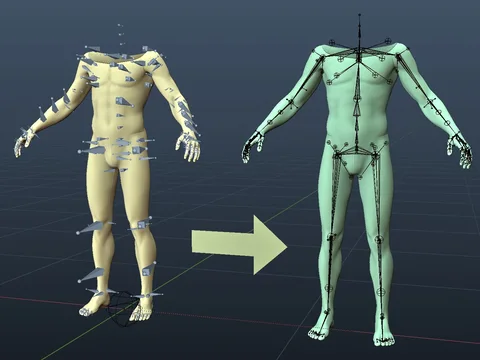
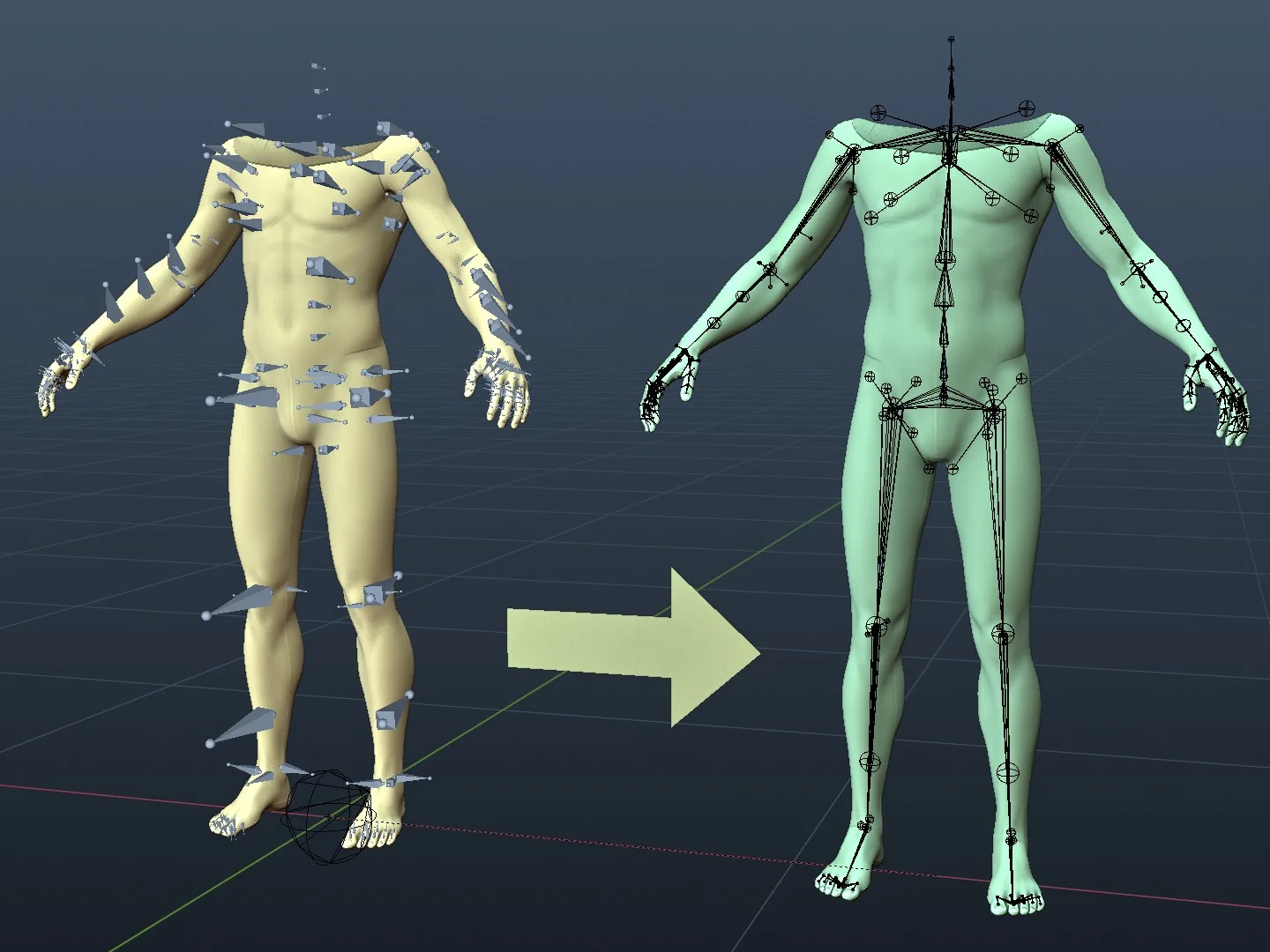
enhance armature visualization
Compatibility: Blender 4.2.0+
官方介绍(中文整理)
增强手臂可视化。
FakeBones 是一个Blender adton, 旨在加强从其他软件(如玛雅、非真实软件等)导入的外形的可视化。 外形生成球形和锥形空物体,分别代表关节和骨骼连接,并使用限制实现动态伸展效应。 生成的空天体会组织成一个假宝盒收藏, 设置为不可选择, 并总是在前面显示, 以确保它们不会干扰原始的手臂数据, 同时改善动画编辑的直观性。 此插件基于 https://devtalk.blender.org/t/rigging-orientation-mismatch-between-blender-and-other-dccs/39901 的原则, 并且由于开发者而得到精细化 !
查看官方原文摘要(English)
FakeBones is a Blender addon designed to enhance the visualization of armatures imported from other software (such as Maya, Unreal, etc.). The addon generates spherical and conical empty objects to represent joints and bone connections, respectively, and uses constraints to achieve dynamic stretching effects. The generated empty objects are organized into a FakeBones collection, set as non-selectable and always displayed in front, ensuring they do not interfere with the original armature data while improving the intuitiveness of animation editing. This plugin is based on the principles of https://devtalk.blender.org/t/rigging-orientation-mismatch-between-blender-and-other-dccs/39901 and has been refined thanks to the developer!
安装方法
- 打开 Blender「编辑 → 偏好设置 → 获取扩展(Get Extensions)」,搜索 FakeBones,可直接从官方库安装。
- 手动安装时,选择适合当前 Blender 版本与系统的 ZIP 包,在「获取扩展」右上角菜单选择「从磁盘安装(Install from Disk)」,选中 ZIP 文件,无需解压。
- 安装后,在偏好设置的「插件(Add-ons)」中确认已启用,并按作者说明使用。
下载安装包
请选择与你的 Blender 版本和操作系统相符的文件,下载由 Blender 官方扩展库提供。
正在加载安装包…
来源与许可
- 作者 / 维护者:maylog
- 许可:SPDX:GPL-3.0-or-later
- 来源:Blender 官方扩展库


![[搬运]超级粘液资产合集-魔酷网](https://i.blender.kim/wp-content/uploads/2026/01/20260131142748712.png)


暂无评论内容