

资源介绍
A checkbox to add a 'Fast Start' copy of MP4/MOV renders
Compatibility: Blender 4.4.0+
官方介绍(中文整理)
添加 MP4/ MOV 转换的“ 快速启动” 副本的复选框。
YouTube 推荐MP4+“文件前端的moov原子(快速启动)”,
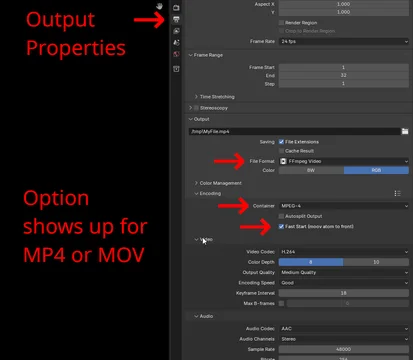
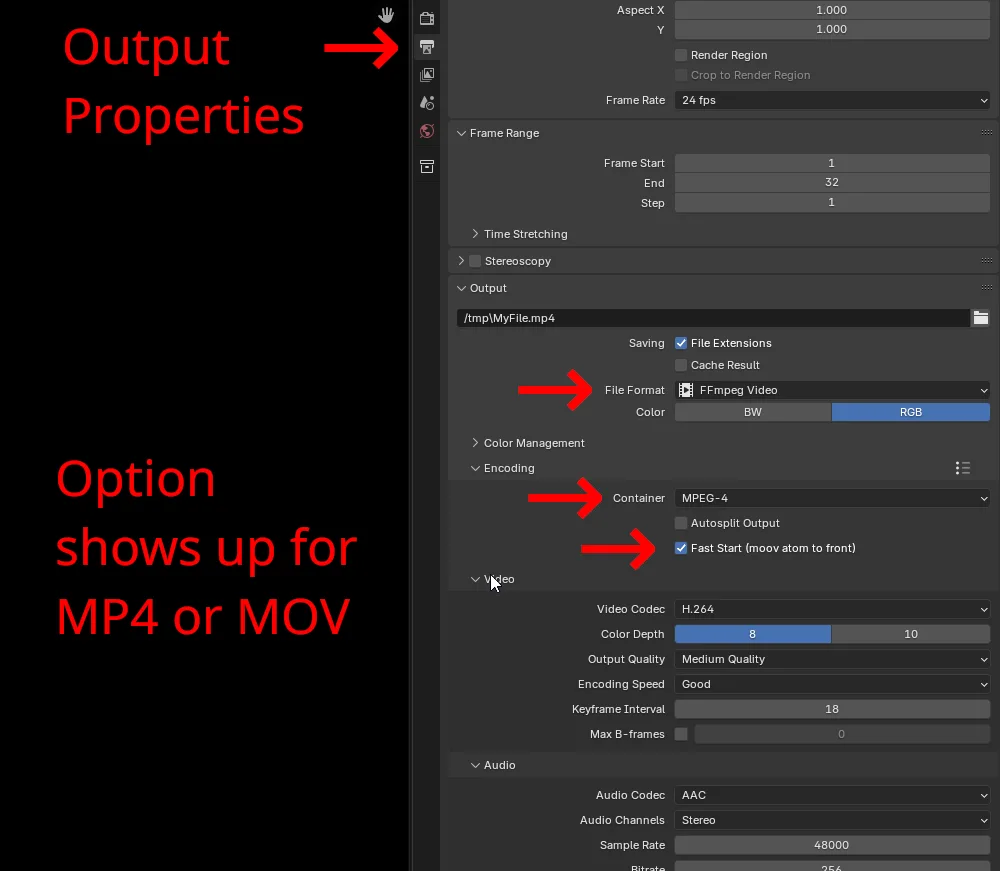
“ BL 快速启动( MP4/ MOV) ” 在您的输出面板上设置一个复选框, 以添加 MP4 或 MOV 的“ 快速启动” 副本。 复选框显示您选择 MPEG-4 或容器的快速时间。 这将创建额外的 MP4/MOV 文件, 带有自定义的后缀( 默认为 “ 快速启动 ” )。 您的正常格式未打开, 这样您就会有两个文件。
通常而言,“快速启动”会让您的视频加载速度比第二秒快一点, 如果您试图用音频回路或试图微调/制成YouTube视频表演或其它什么, 这会很方便。
这是基于 qtfaststart , 并在 Windows 11 和 Linux Mint 上测试。 全部是 Python , 理论上应该在 Blender 工作的任何地方工作。 首先检查是否有问题 : 请确认您是否在 Blender 4. 4+ 上。
查看官方原文摘要(English)
YouTube recommends MP4 + "moov atom at the front of the file (Fast Start)" so here's an extension for it.
"BL Fast Start (MP4/MOV)" puts a checkbox on your output panel to add a 'Fast Start' copy of MP4 or MOV renders. The checkbox shows up when you select MPEG-4 or Quicktime for the container. It will create an extra MP4/MOV file with a custom suffix (default is '-faststart'). Your normal render is untouched so you'll have two files.
In general "fast start" makes your video load a fraction of a second faster which can be handy if you're trying to make a loop with audio or trying to min/max your YouTube video performance or whatnot.
This is based on qtfaststart and was tested on Windows 11 and Linux Mint. It's all Python and should theoretically work wherever Blender works. The first thing to check if there's any problem: make sure you're on Blender 4.4+.
安装方法
- 打开 Blender「编辑 → 偏好设置 → 获取扩展(Get Extensions)」,搜索 BL Fast Start (MP4/MOV),可直接从官方库安装。
- 手动安装时,选择适合当前 Blender 版本与系统的 ZIP 包,在「获取扩展」右上角菜单选择「从磁盘安装(Install from Disk)」,选中 ZIP 文件,无需解压。
- 安装后,在偏好设置的「插件(Add-ons)」中确认已启用,并按作者说明使用。
下载安装包
请选择与你的 Blender 版本和操作系统相符的文件,下载由 Blender 官方扩展库提供。
正在加载安装包…
来源与许可
- 作者 / 维护者:usrname0
- 许可:SPDX:GPL-3.0-or-later
- 来源:Blender 官方扩展库


暂无评论内容