


资源介绍
Game Engine Movement and Menus
Compatibility: Blender 4.2.0+
官方介绍(中文整理)
游戏引擎运动和菜单。
右鼠鼠鼠右导航
这是什么?
Blender 3D Viewport (和可选节点编辑器) 的游戏引擎风格导航。
如何运作?
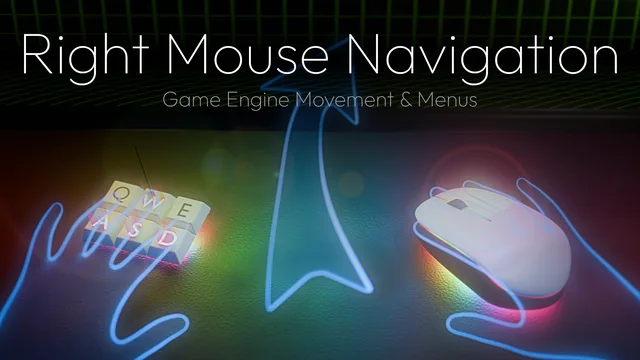
按住鼠标右键, 启用“ 沃尔克导航” , 并使用 W、 A、 S、 D、 Q 和 E 键来导航您的场景。
单击鼠标右键访问标准上下文菜单。
首首首选项
附加首选项中有一个时间阈值, 用于在“ 持有” 和“ 单击” 之间调整。
节点编辑器
可选的节点编辑器模式连接到右鼠标“ 控点 ” , 节点搜索/ 文本菜单绑到“ 单击 ”。 如果选择了节点, 标准节点上下文菜单将被调用, 如果选择了结点, 则将调用节点搜索菜单。
注意事项:
添加on 支持左键和右键点击选择, 但有一个已知问题, 在左键和左键单击选择之间切换后, adton 键图没有更新。 修正是重新启动 Blender , 它应该用添加解决所有问题。
Help 支持
如果发现有虫子或右鼠导航有问题,可以:
- 在 Github 上创建问题
- 创建 Codeberg 上的问题
- 在Blender艺术家的这条线索中张贴
我将能够与你继续跟进 并希望解决你的问题!
查看官方原文摘要(English)
Right Mouse Navigation
What is it?
Game Engine-style navigation for Blender's 3D Viewport (and optionally Node Editors).
How Does it Work?
Hold Right Mouse to enable 'Walk Navigation' and use the W, A, S, D, Q and E keys to navigate your scene.
Click Right Mouse to access the standard context menus.
Preferences
A Time Threshold is available in the addon preferences, to adjust between a 'hold' and a 'click'.
Node Editors
The optional Node Editor mode binds panning to Right Mouse 'hold' and the Node Search/Context menus to 'click'. If a node is selected the standard Node Context menu will be called, if no nodes are selected, the Node Search menu will be called.
NOTE:
This addon supports both Left and Right Click Select, however, there is a known issue where the addon keymap is not updated after switching between Left and Right Click Select. The fix is to restart Blender, which should resolve all issues with the addon.
Help & Support
If you find a bug or are having issues with Right Mouse Navigation, you can:
- Create an Issue on Github
- Create an Issue on Codeberg
- Post in this thread on BlenderArtists
and I will be able to follow-up with you and hopefully fix your issue!
安装方法
- 打开 Blender「编辑 → 偏好设置 → 获取扩展(Get Extensions)」,搜索 Right Mouse Navigation,可直接从官方库安装。
- 手动安装时,选择适合当前 Blender 版本与系统的 ZIP 包,在「获取扩展」右上角菜单选择「从磁盘安装(Install from Disk)」,选中 ZIP 文件,无需解压。
- 安装后,在偏好设置的「插件(Add-ons)」中确认已启用,并按作者说明使用。
下载安装包
请选择与你的 Blender 版本和操作系统相符的文件,下载由 Blender 官方扩展库提供。
正在加载安装包…
来源与许可
- 作者 / 维护者:SpectralVectors
- 许可:SPDX:GPL-3.0-or-later
- 来源:Blender 官方扩展库


暂无评论内容